Post Up
Creating a mobile app to simplify finding public workspaces
Post Up
Creating a mobile app to simplify finding public workspaces
Post Up
Creating a mobile app to simplify finding public workspaces
Context
Context
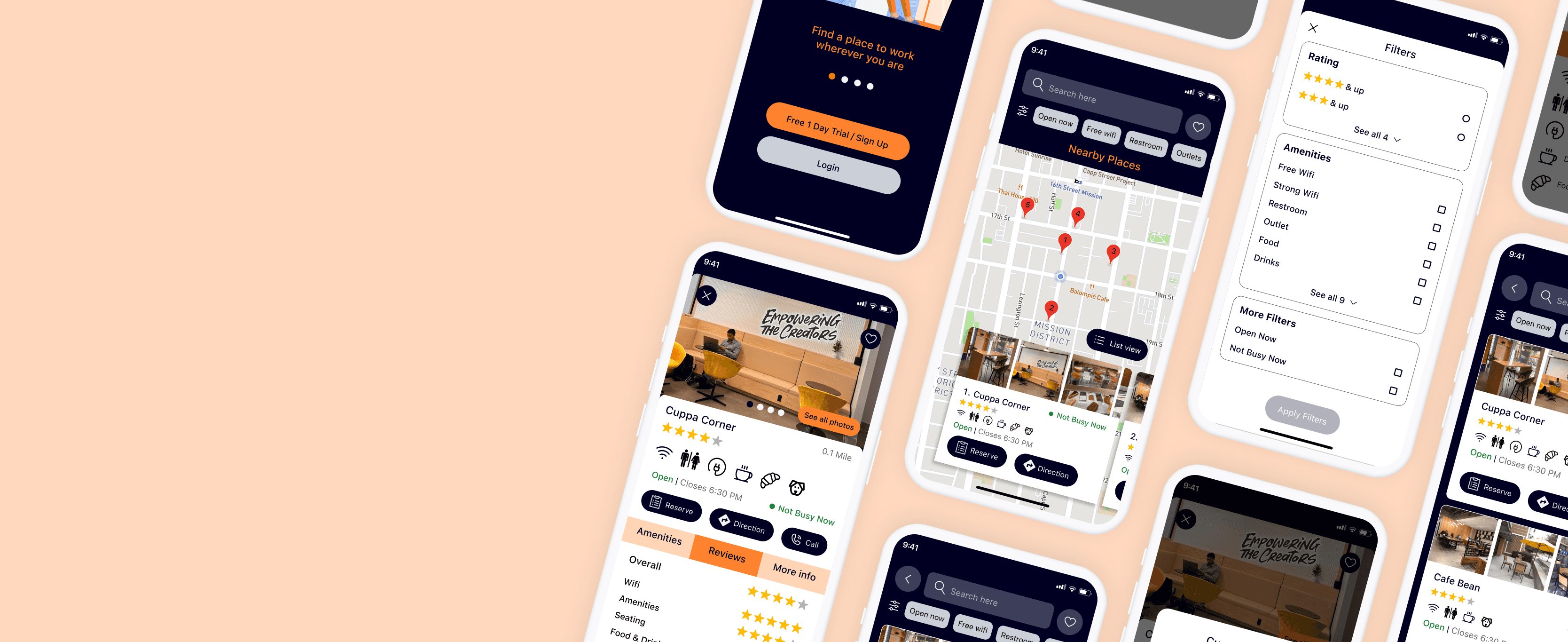
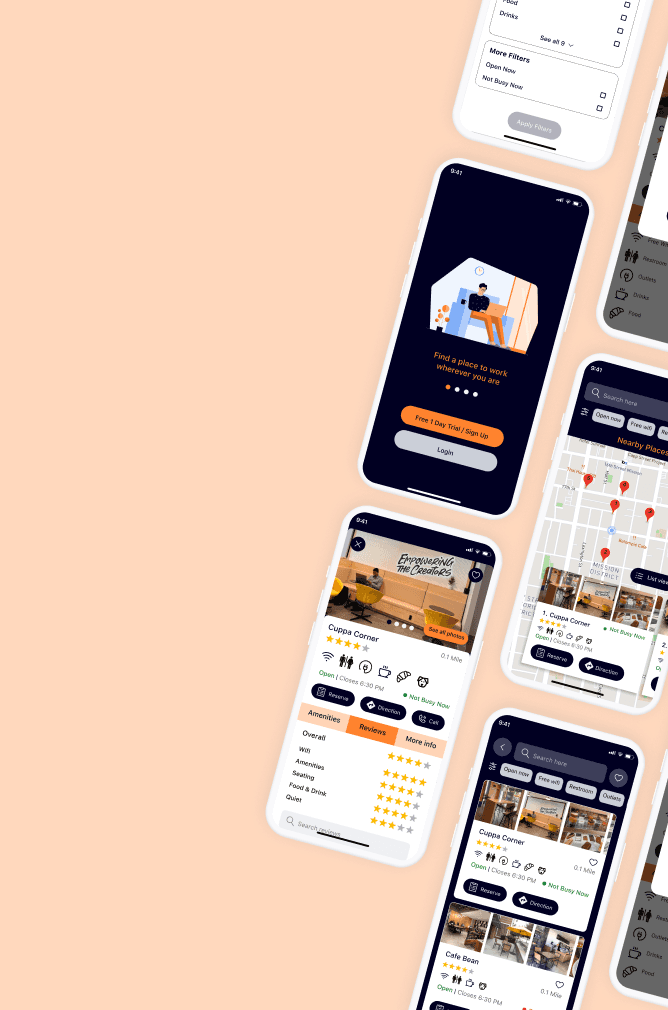
Post Up is a startup focused on helping freelancers and remote workers find public workspaces, such as cafes. Originally a platform for freelancer communication, the team noticed frequent discussions about locating suitable workspaces and decided to create a mobile app to address this need. To ensure the app met user needs, I followed the Google Ventures design sprint methodology, a five-day process for tackling critical business questions through design, prototyping, and user testing. The outcome was a validated minimum viable product (MVP) ready for user feedback.
Post Up is a startup focused on helping freelancers and remote workers find public workspaces, such as cafes. Originally a platform for freelancer communication, the team noticed frequent discussions about locating suitable workspaces and decided to create a mobile app to address this need. To ensure the app met user needs, I followed the Google Ventures design sprint methodology, a five-day process for tackling critical business questions through design, prototyping, and user testing. The outcome was a validated minimum viable product (MVP) ready for user feedback.
Problem
Problem
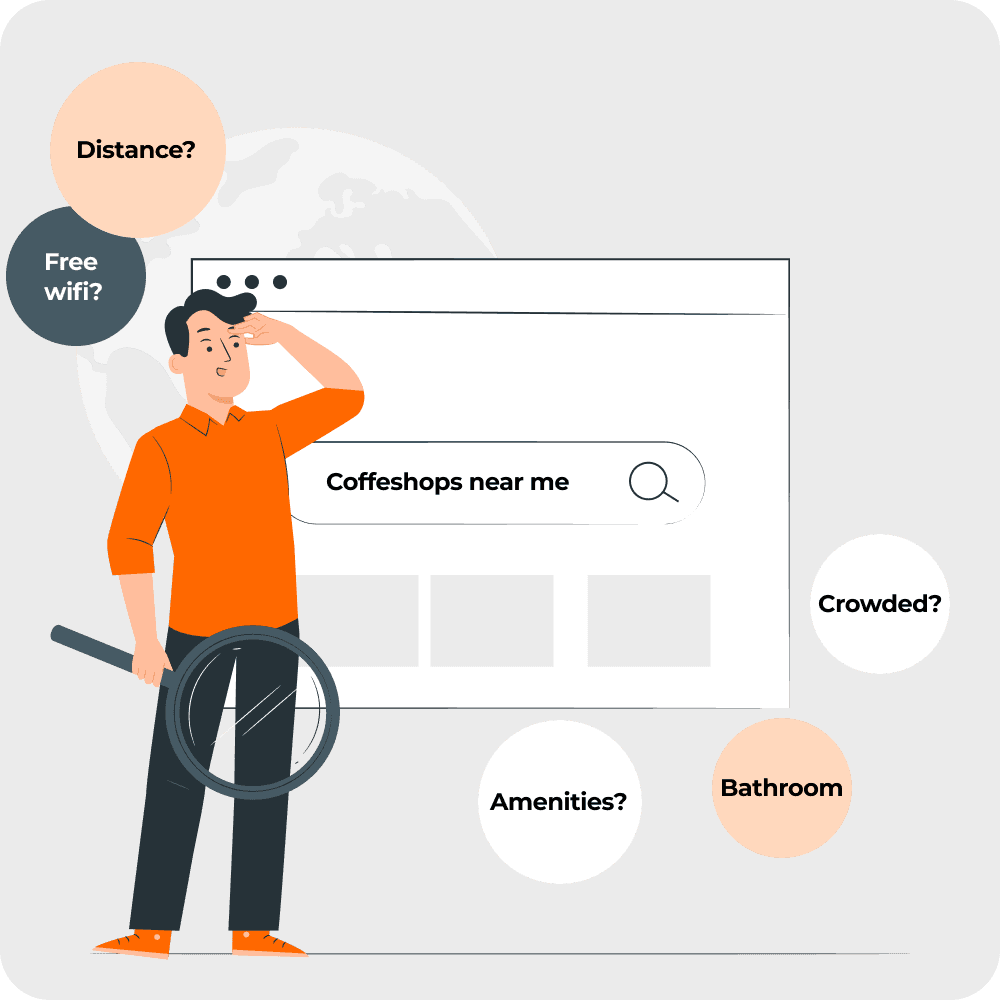
Struggling to quickly find convenient locations with appropriate amenities, to work remotely?
Struggling to quickly find convenient locations with appropriate amenities, to work remotely?
Possible Solution
Possible Solution
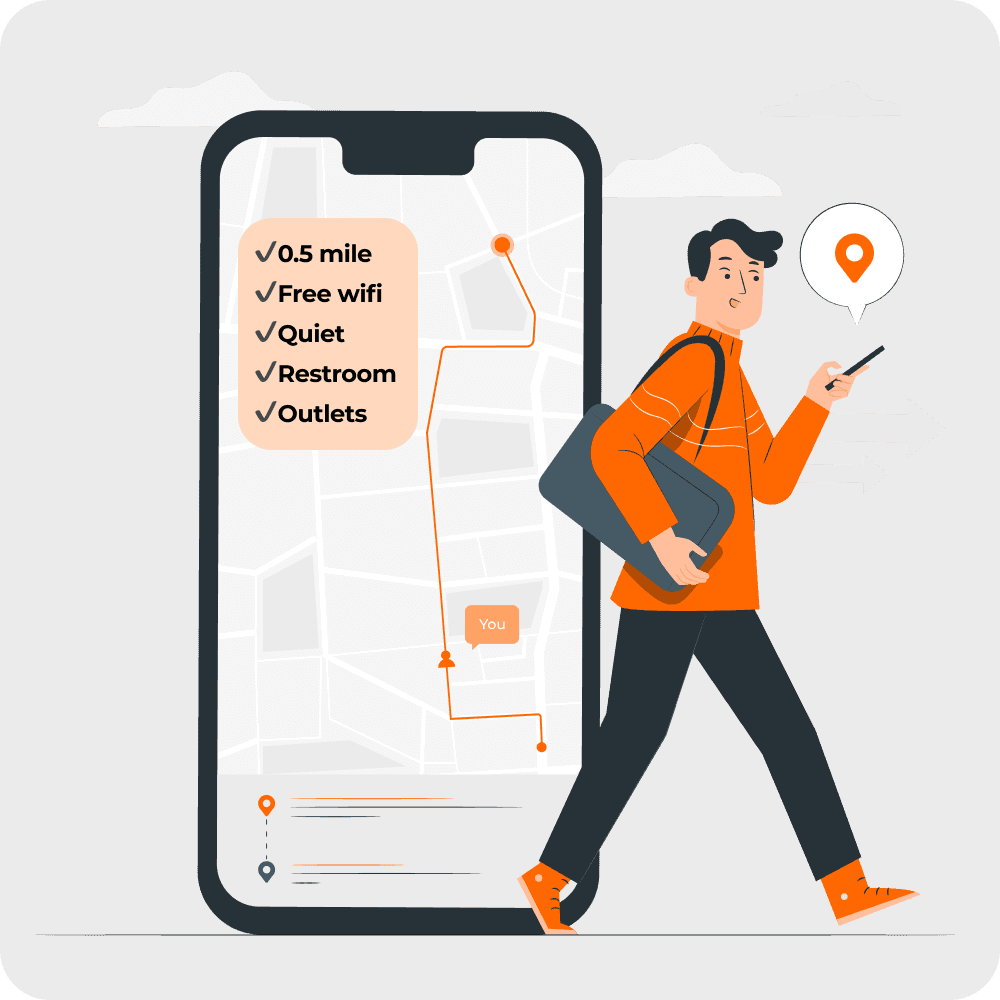
A mobile app to simplify finding public spaces to work for remote workers.
A mobile app to simplify finding public spaces to work for remote workers.
Project Overview
Project Overview
Timeline
5 Days
Timeline
5 Days
Timeline
5 Days
Team
Solo Project
Team
Solo Project
Team
Solo Project
Role
Ux Designer
Role
Ux Designer
Role
Ux Designer
Tools
Figma, Pen & Paper
Tools
Figma, Pen & Paper
Tools
Figma, Pen & Paper
Day 1 | Understanding The Problem & Mapping Out UX
Keep scrolling to see the design process
Research Insights
Research Insights
Upon synthesizing the research data, I uncovered these key insights:
Upon synthesizing the research data, I uncovered these key insights:
Amenities
Amenities
Amenities
WiFi, bathroom, and outlets are important when determining whether a place is suitable.
WiFi, bathroom, and outlets are important when determining whether a place is suitable.
Space & Environment
Space & Environment
Space & Environment
• Users like to check how busy a location is beforehand to better anticipate crowd levels and noise.
• Previewing seating layout aids better planning.
• Users like to check how busy a location is beforehand to better anticipate crowd levels and noise.
• Previewing seating layout aids better planning.
Distance
Distance
Distance
Distance from current location is also important because users are typically on the go.
Distance from current location is also important because users are typically on the go.
User Persona
User Persona
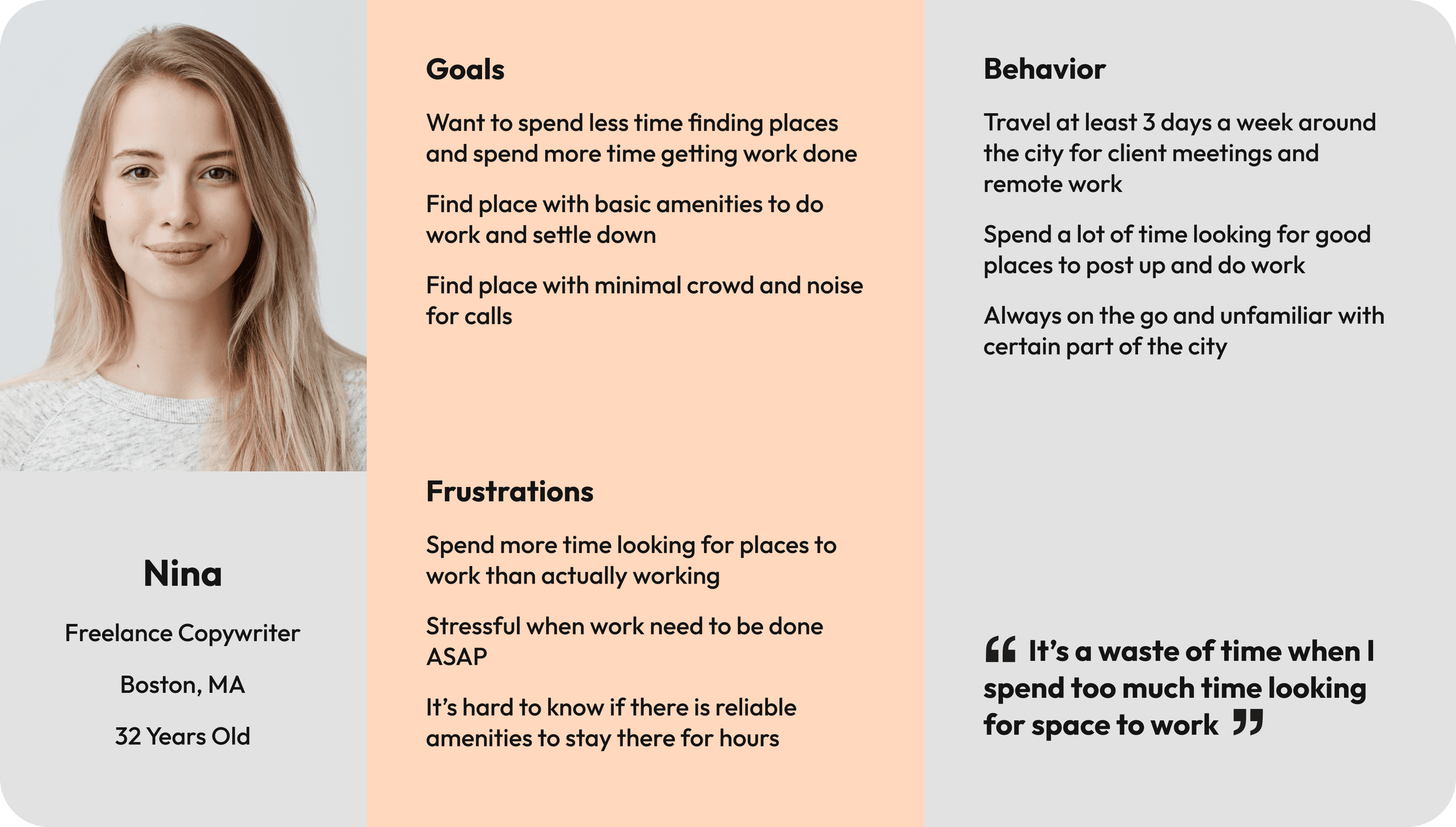
To bring the research findings to life and keep the design user-centered, I translated the data into a persona that reflects the typical user’s goals, frustrations, and context of use.
To bring the research findings to life and keep the design user-centered, I translated the data into a persona that reflects the typical user’s goals, frustrations, and context of use.
End-To-End User Experience Map
End-To-End User Experience Map
I took what I learned from the user research and created a simple end-to-end user map that will act as the framework for the solution.
I took what I learned from the user research and created a simple end-to-end user map that will act as the framework for the solution.

Day 2 | Sketch
Keep scrolling to see the design process
Lightning Demos
Lightning Demos
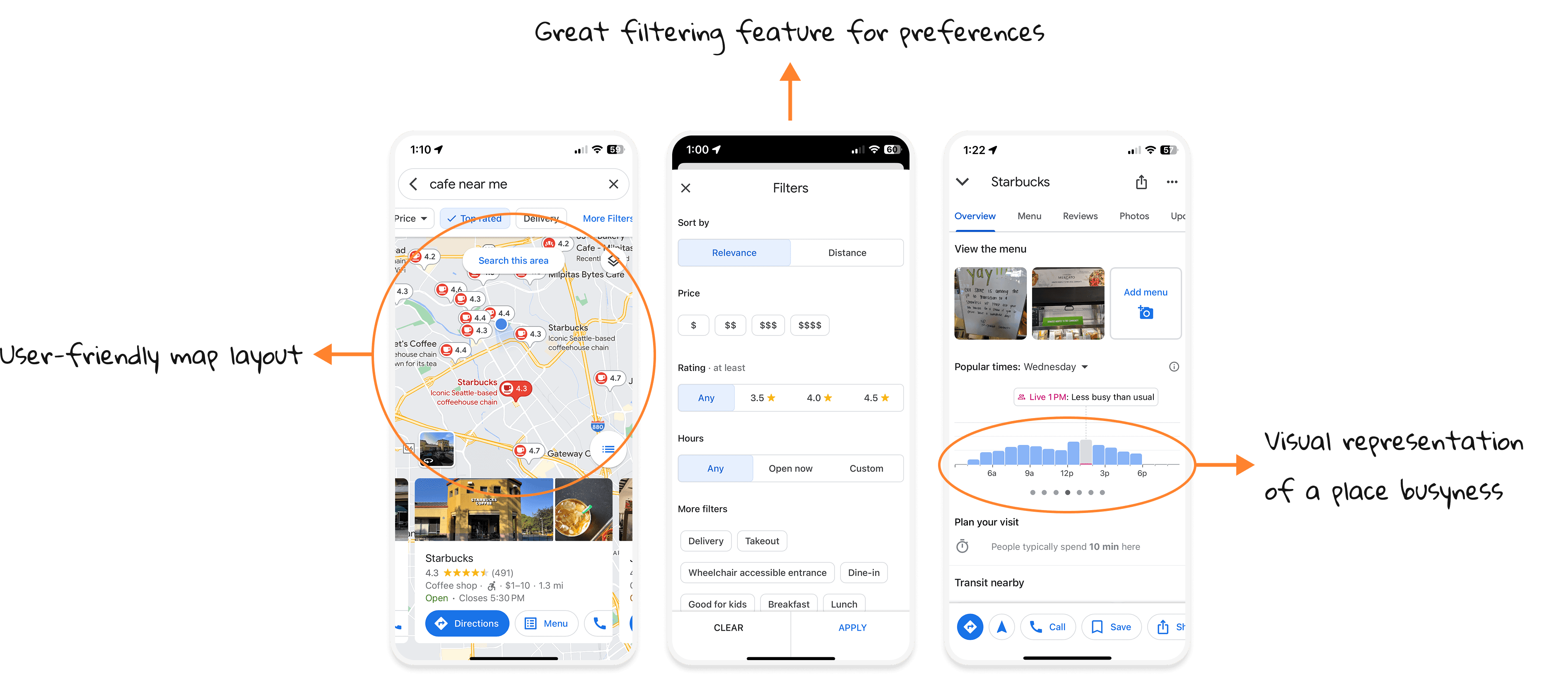
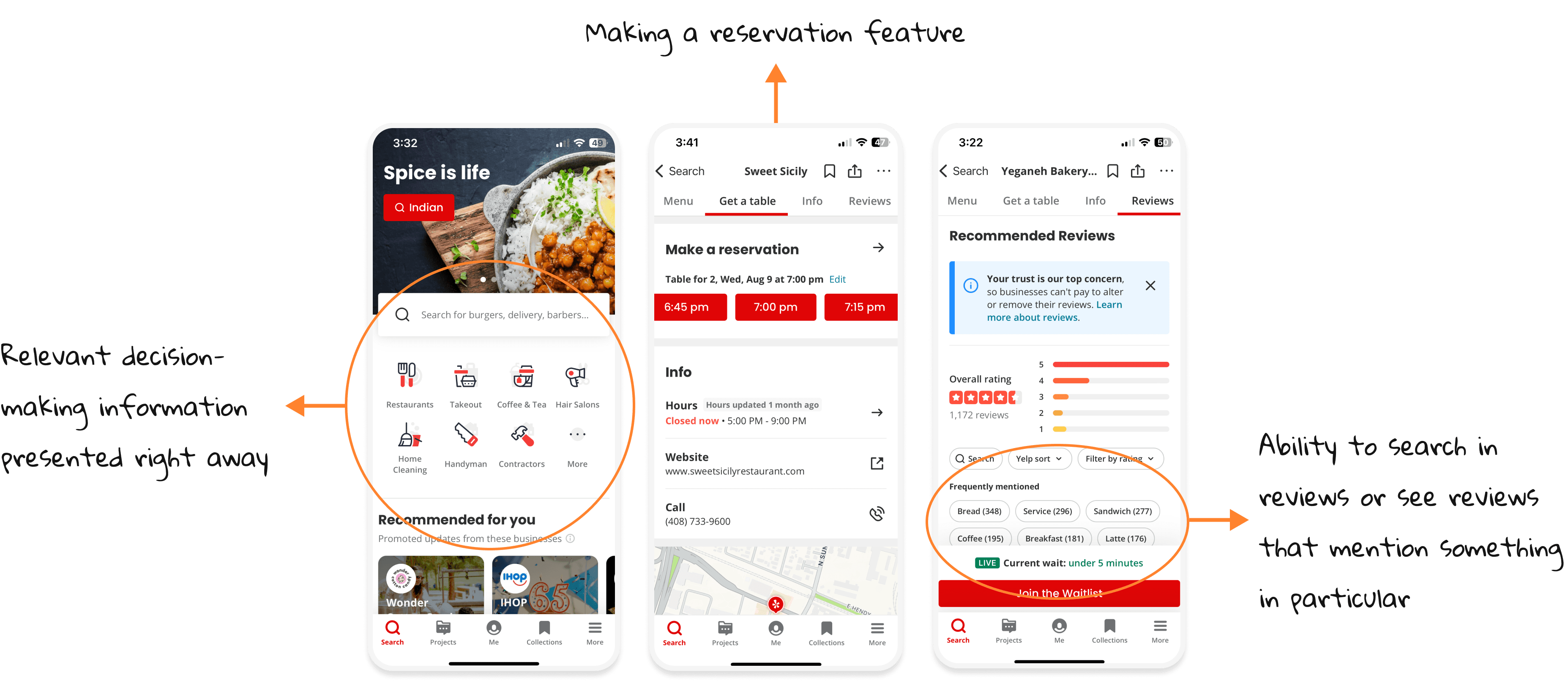
I began by looking into the primary rivals, Google Maps and Yelp, which are currently employed to address this problem. The features I found especially useful for this solution are highlighted below.
I began by looking into the primary rivals, Google Maps and Yelp, which are currently employed to address this problem. The features I found especially useful for this solution are highlighted below.
Google Maps
Google Maps
Yelp
Yelp
Crazy 8s
Crazy 8s
I used a method called Crazy Eights to come up with eight different solutions for one screen.
I decided the most critical screen for this product is browsing nearby places screen which provides decision-making informations and it will serve as the home base for users.
I used a method called Crazy Eights to come up with eight different solutions for one screen.
I decided the most critical screen for this product is browsing nearby places screen which provides decision-making informations and it will serve as the home base for users.
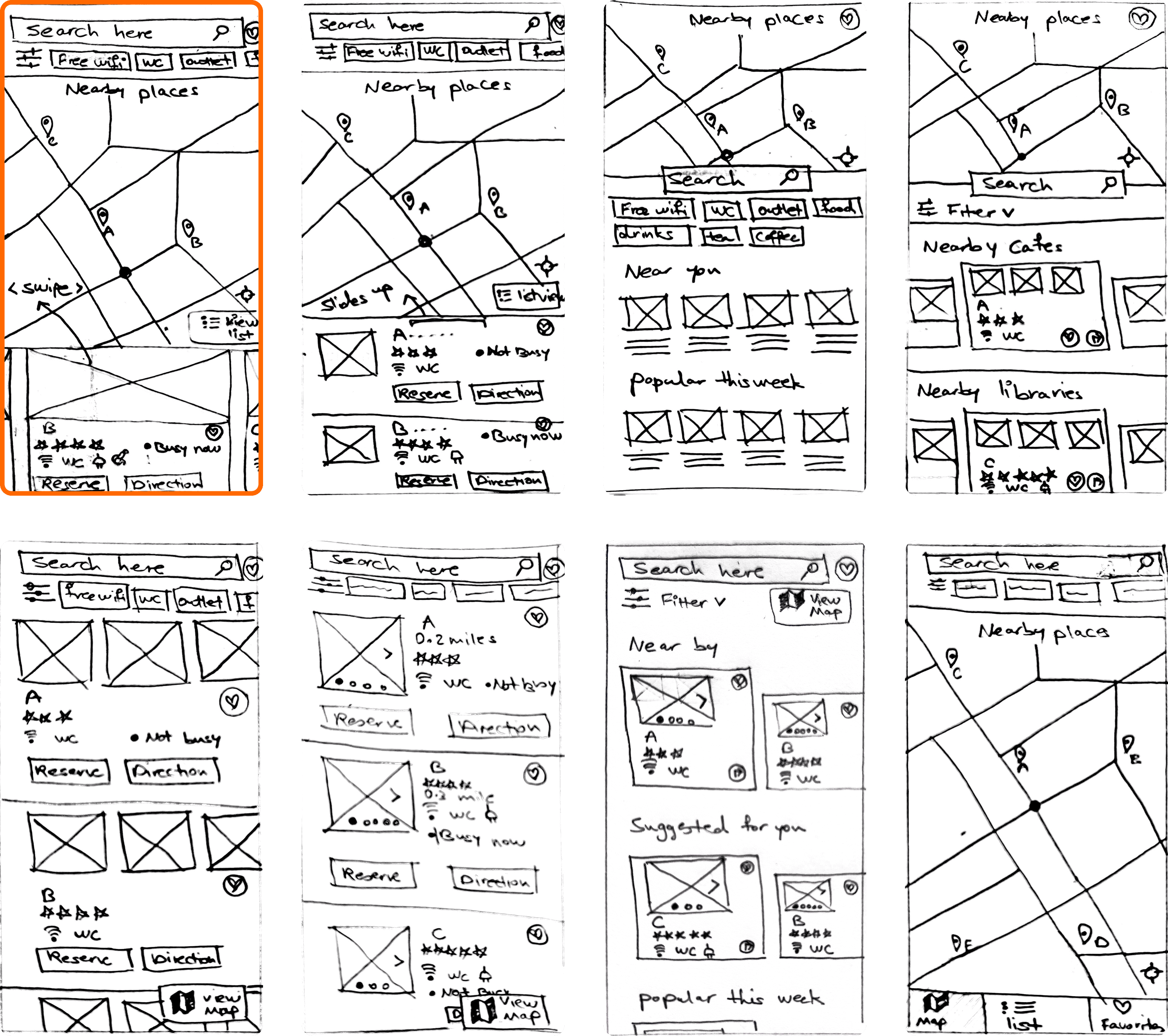
I selected the screen outlined with orange, since it was inspired by Google Maps design; this familiarity helps reduce the user's cognitive load.
I selected the screen outlined with orange, since it was inspired by Google Maps design; this familiarity helps reduce the user's cognitive load.
Solution Sketches
Solution Sketches
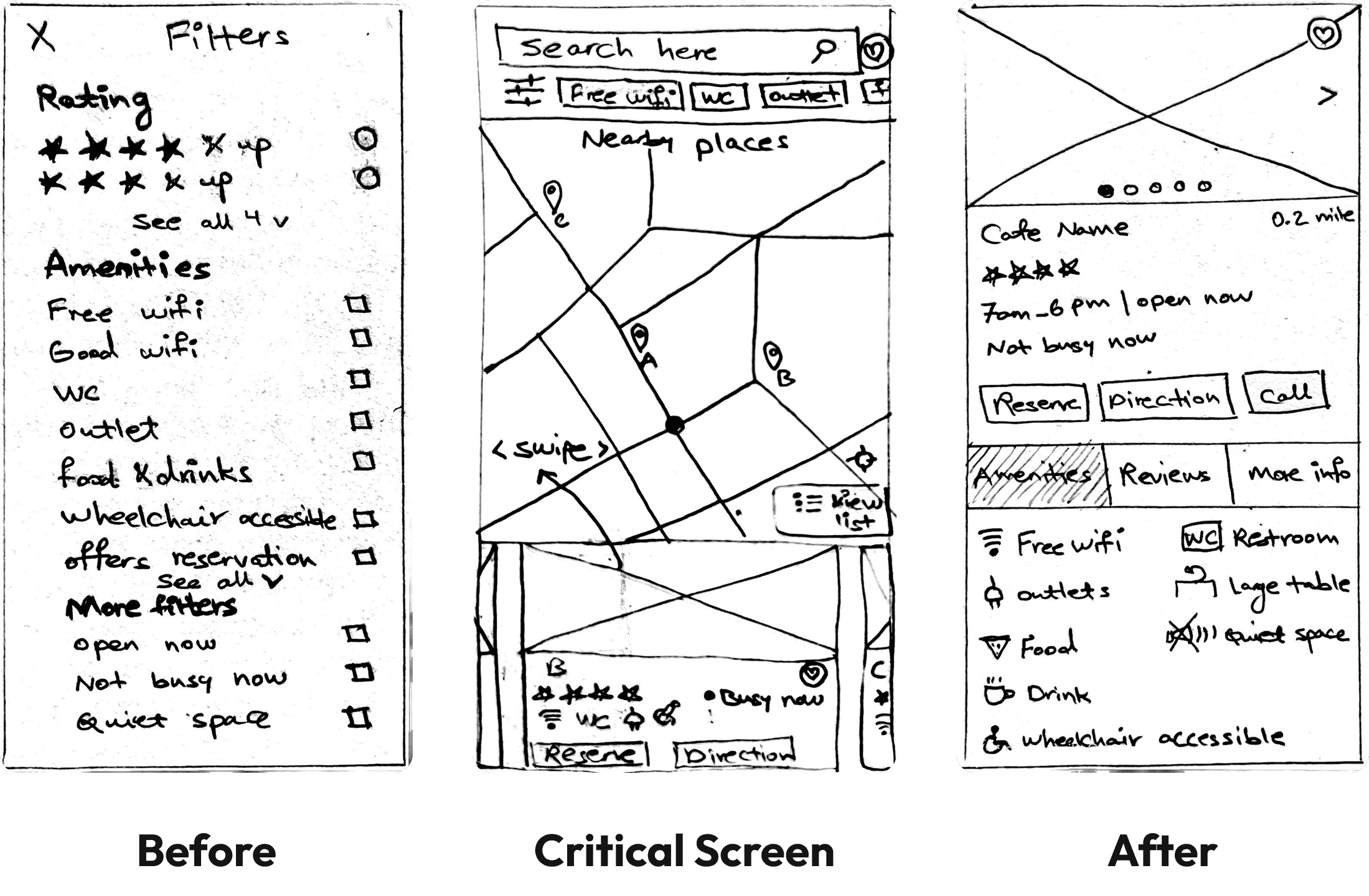
Next I made a solution sketch, a three-panel board of:
1) the screen that comes before the critical screen
2) the critical screen itself
3) the screen that comes after the critical screen
Day 3 | Storyboard
Keep scrolling to see the design process
Storyboard
Storyboard
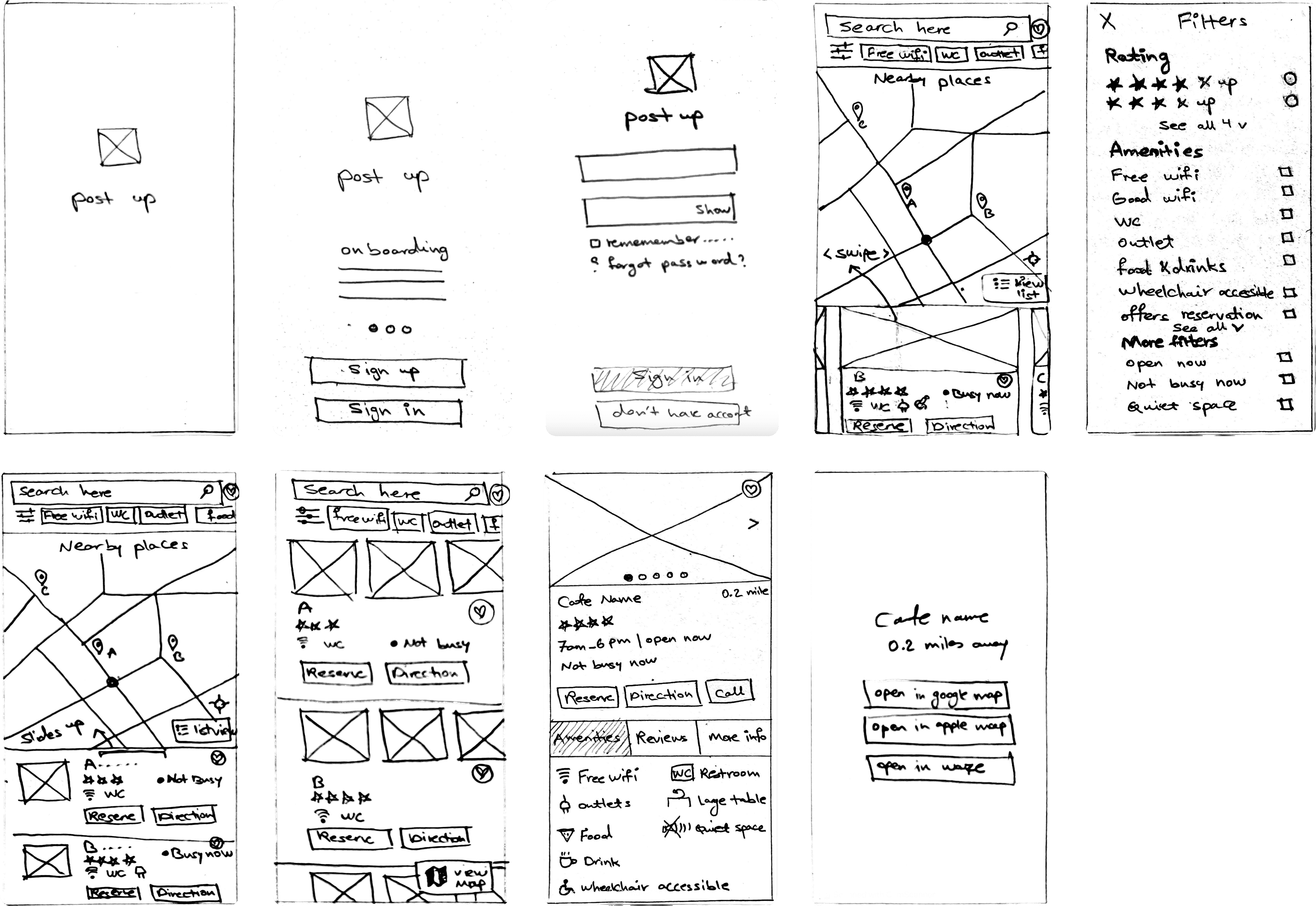
This storyboard serves as a simplified outline that I'll use to create my prototype.
After signing up/logging in, users can instantly access the map to view nearby locations; they also have the option to search for other places. Then they can filter their preferences and see more details about each place. When they decide to proceed to their chosen destination, they will be sent to a navigation app.
This storyboard serves as a simplified outline that I'll use to create my prototype.
After signing up/logging in, users can instantly access the map to view nearby locations; they also have the option to search for other places. Then they can filter their preferences and see more details about each place. When they decide to proceed to their chosen destination, they will be sent to a navigation app.
Day 4 | Prototype
Keep scrolling to see the design process
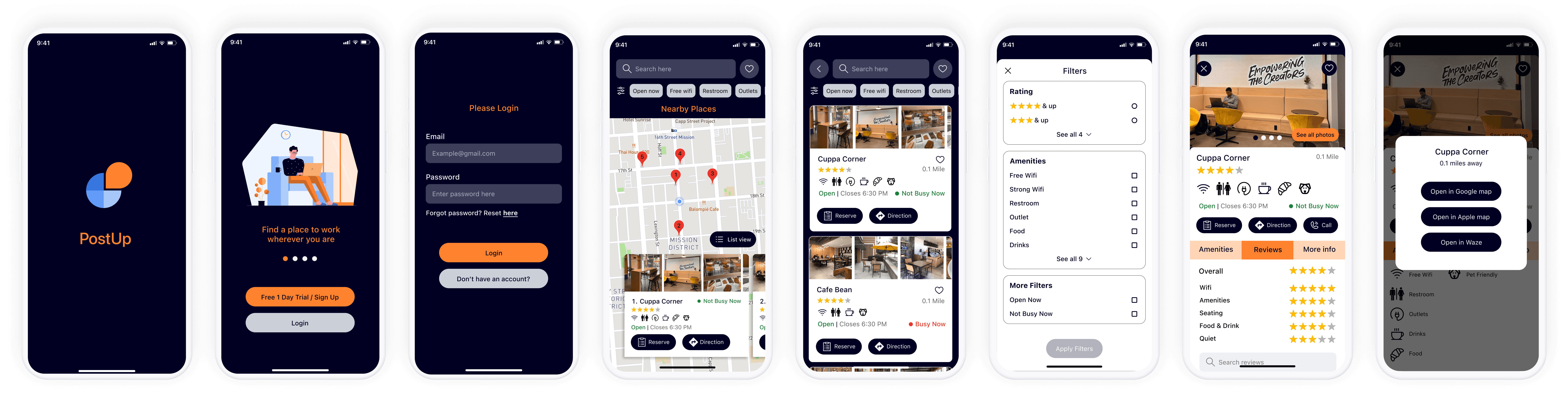
I’ve taken the Storyboard created on Day 3 and used Figma to design the mockups I had started visualizing since day 1. It was a challenge to design the prototype in one day; so functionality was kept to a bare minimum to keep the focus on successful interactions.
I’ve taken the Storyboard created on Day 3 and used Figma to design the mockups I had started visualizing since day 1. It was a challenge to design the prototype in one day; so functionality was kept to a bare minimum to keep the focus on successful interactions.
Prototype's Goal:
The user can easily understand the product’s use.
The user can login successfully.
The user can filter search results based on preferences.
The user can easily see the place’s amenities at a glance.
The user can easily see details of each place.
The user can easily get direction to their selected place.
Prototype's Goal:
The user can easily understand the product’s use.
The user can login successfully.
The user can filter search results based on preferences.
The user can easily see the place’s amenities at a glance.
The user can easily see details of each place.
The user can easily get direction to their selected place.
Day 5 | Validate
Keep scrolling to see the design process
Usability Test & Iterations
Usability Test & Iterations
I conducted two rounds of five usability tests, focusing on those that tend to work remotely to validate design choices and get feedback on what works well and what does not. Tests were performed over Zoom with screen share, and in person using user’s phone running the Figma prototype.
I asked users to to pretend they were actively seeking a nearby workspace with specific conditions, in order to see if they would complete the task as intended.
I asked users to see more details of their chosen place and get navigation to it.
I conducted two rounds of five usability tests, focusing on those that tend to work remotely to validate design choices and get feedback on what works well and what does not. Tests were performed over Zoom with screen share, and in person using user’s phone running the Figma prototype.
I asked users to to pretend they were actively seeking a nearby workspace with specific conditions, in order to see if they would complete the task as intended.
I asked users to see more details of their chosen place and get navigation to it.
Sucess
Sucess
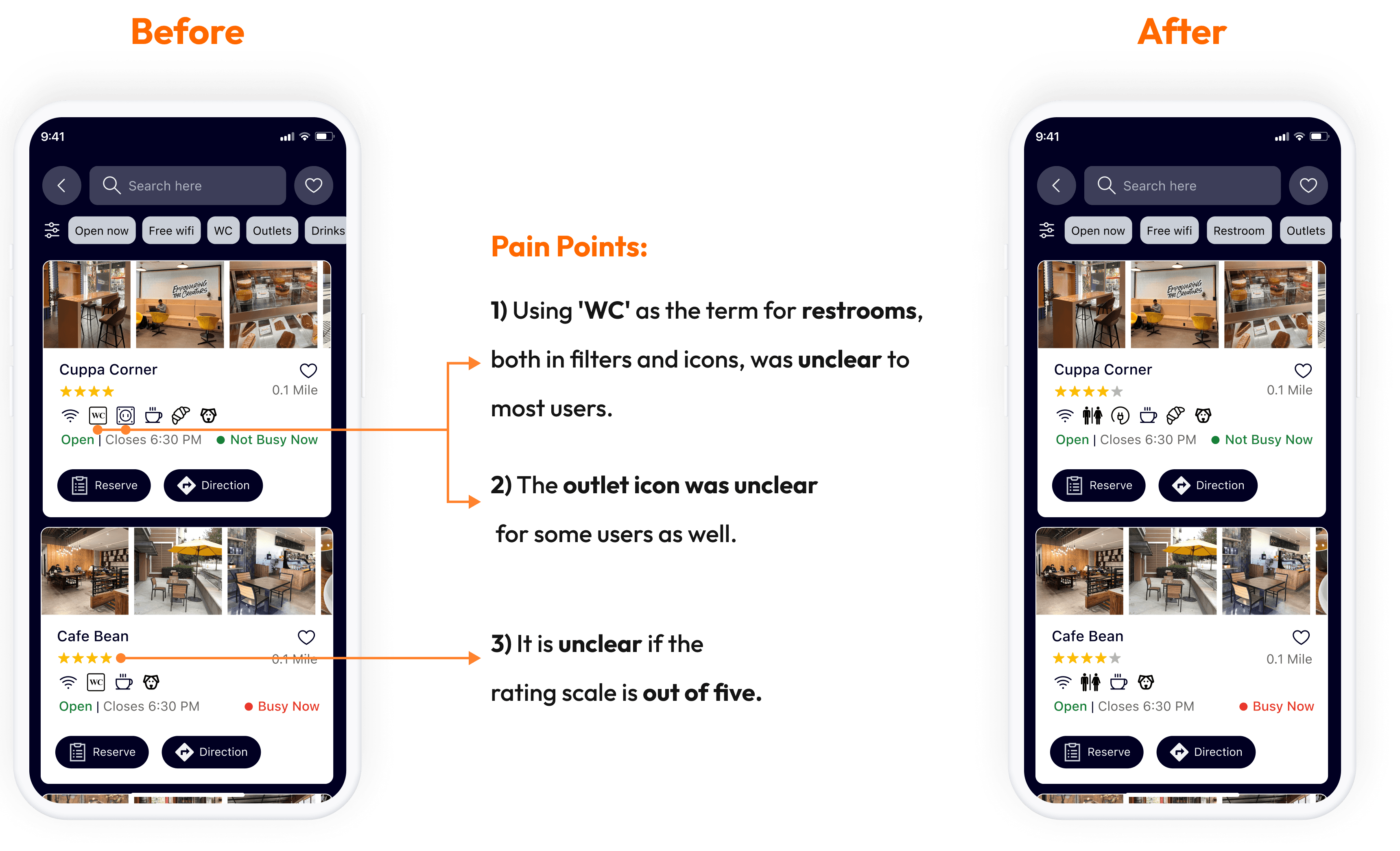
The design, inspired by Google Maps and Yelp, offered users a user-friendly and familiar experience, reducing cognitive load.
Icon-based amenities made it easy to see the available features at a glance.
Function & terminology of filters were clear.
Users found the busyness status helpful for decision-making.
Users thought the reservation and calling feature is great for meetings.
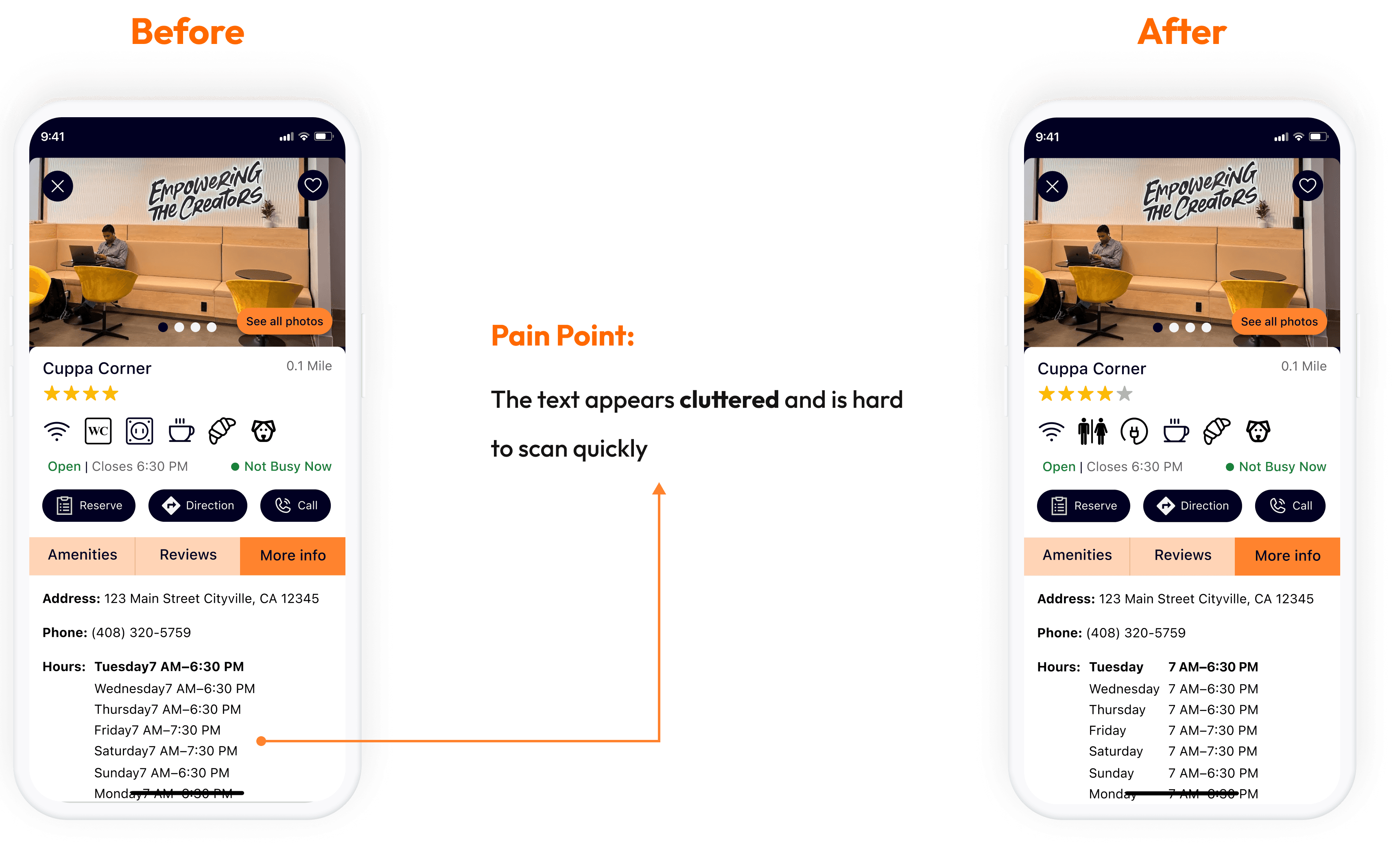
Users found the interior pictures informative.
The design, inspired by Google Maps and Yelp, offered users a user-friendly and familiar experience, reducing cognitive load.
Icon-based amenities made it easy to see the available features at a glance.
Function & terminology of filters were clear.
Users found the busyness status helpful for decision-making.
Users thought the reservation and calling feature is great for meetings.
Users found the interior pictures informative.
Reflection & Takeaways
Reflection & Takeaways
This project was a fantastic learning experience for agile design thinking.
having a pixel-perfect design tendency made this project challenging for me and It pushed me to focus on efficiency and functionality. Also the one-week deadline for creating a prototype for usability testing forced me to stay on track and not get caught up in irrelevant details.
The main lesson I learned in this short design sprint was Less is more; simple and straightforward design produce good results.
Thank You for Reading My Case Study!
Thank You for Reading My Case Study!
Want to work with me? Feel free to contact me!
Email: faranak.vn@gmail.com
LinkedIn: https://www.linkedin.com/in/faranak-vn/
* All illustrations were sourced from Storyset.com and were modified by me
Want to work with me? Feel free to contact me!
Email: faranak.vn@gmail.com
LinkedIn: https://www.linkedin.com/in/faranak-vn/
* All illustrations were sourced from Storyset.com and were modified by me