The goal was to make a toggle that’s not only functional but also delightful to interact with, transforming a mundane setting into something memorable.
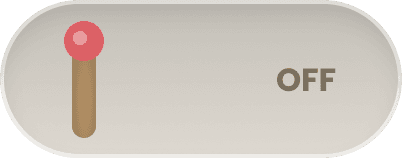
Off State: a simple, unlit matchstick.
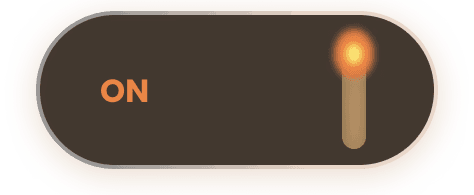
On State: the matchstick tip ignites into a small flame.
I quickly brought the toggle to life in Claude in a prototype which you can interact with below:
The matchstick slides along the track with smooth ease-in-out motion.
When toggled on, the flame animation appears immediately, with a gentle flicker.
Subtle glow effects around the flame make the interaction feel tactile and satisfying.
To add a playful layer of sensory feedback to the toggle, I added subtle sound effects to the prototype, a quick spark when the match ignites and a soft whoosh as it extinguishes
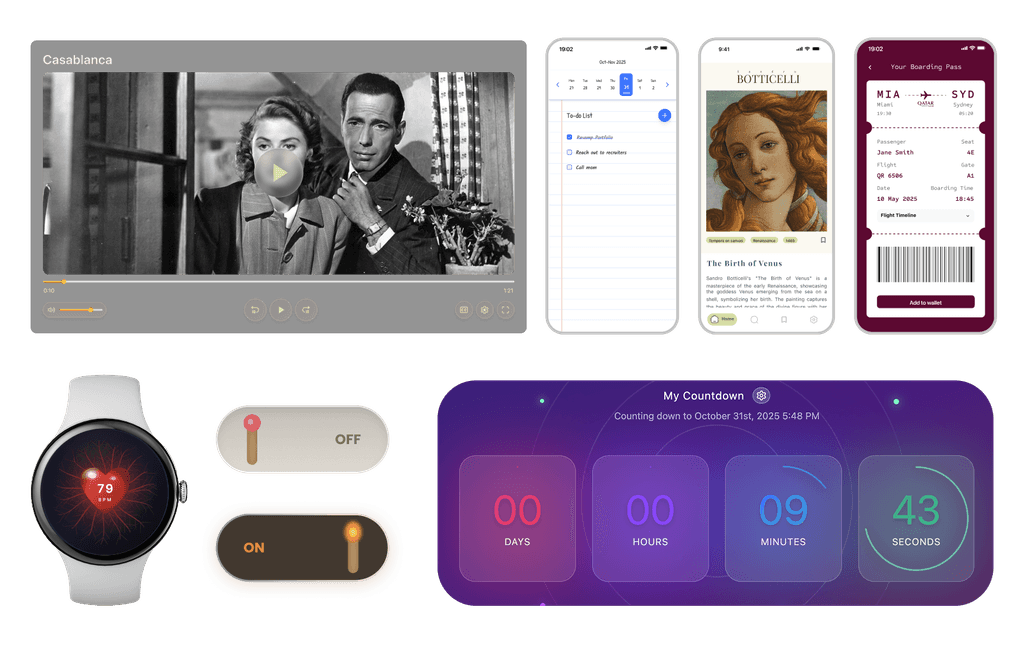
I aimed to create a countdown timer that is simple, intuitive, and emotionally engaging, capturing the subtle anticipation as time passes while keeping the interface modern and inviting.
Interface Style: Glassy, translucent design paired with a soft gradient background and gentle lighting keeps the focus on the main content while adding warmth and a modern, inviting feel.
Motion & Interaction: Glowing and pulsing effects reflect the flow of time, adding personality without distracting the user.
Ever since attending the Figma Make event on October 2nd, 2025, I have been inspired to explore and bring to life different design concepts.
Check out the live prototype on Figma Community and experience it firsthand here.
I decided to explore a glassmorphism-inspired UI for this video player. Since the glass effect can make underlying colors unpredictable, I paid special attention to accessibility and readability, adding a subtle shadow behind the text to ensure it remains clear and legible regardless of the background content.
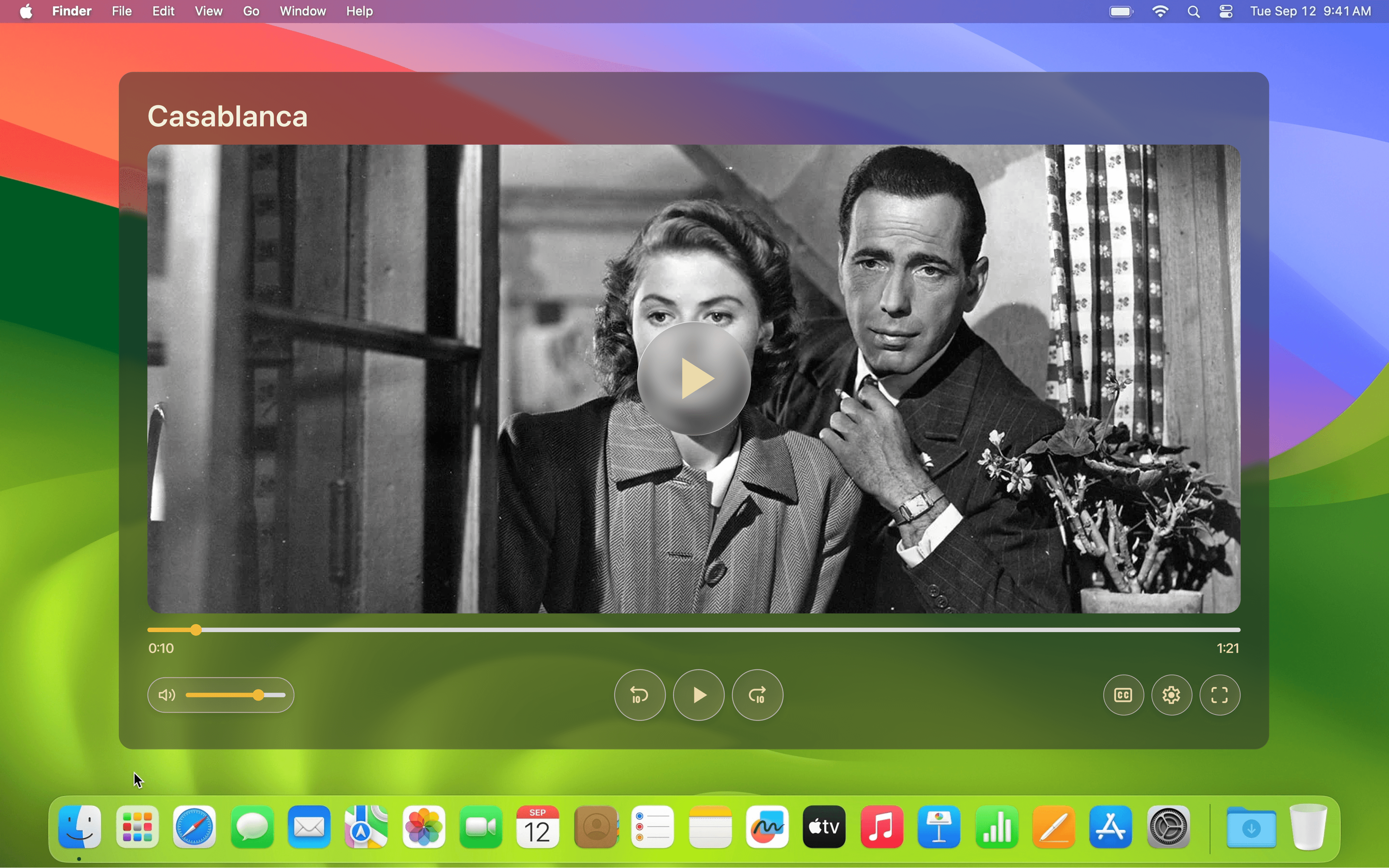
Standard Mode
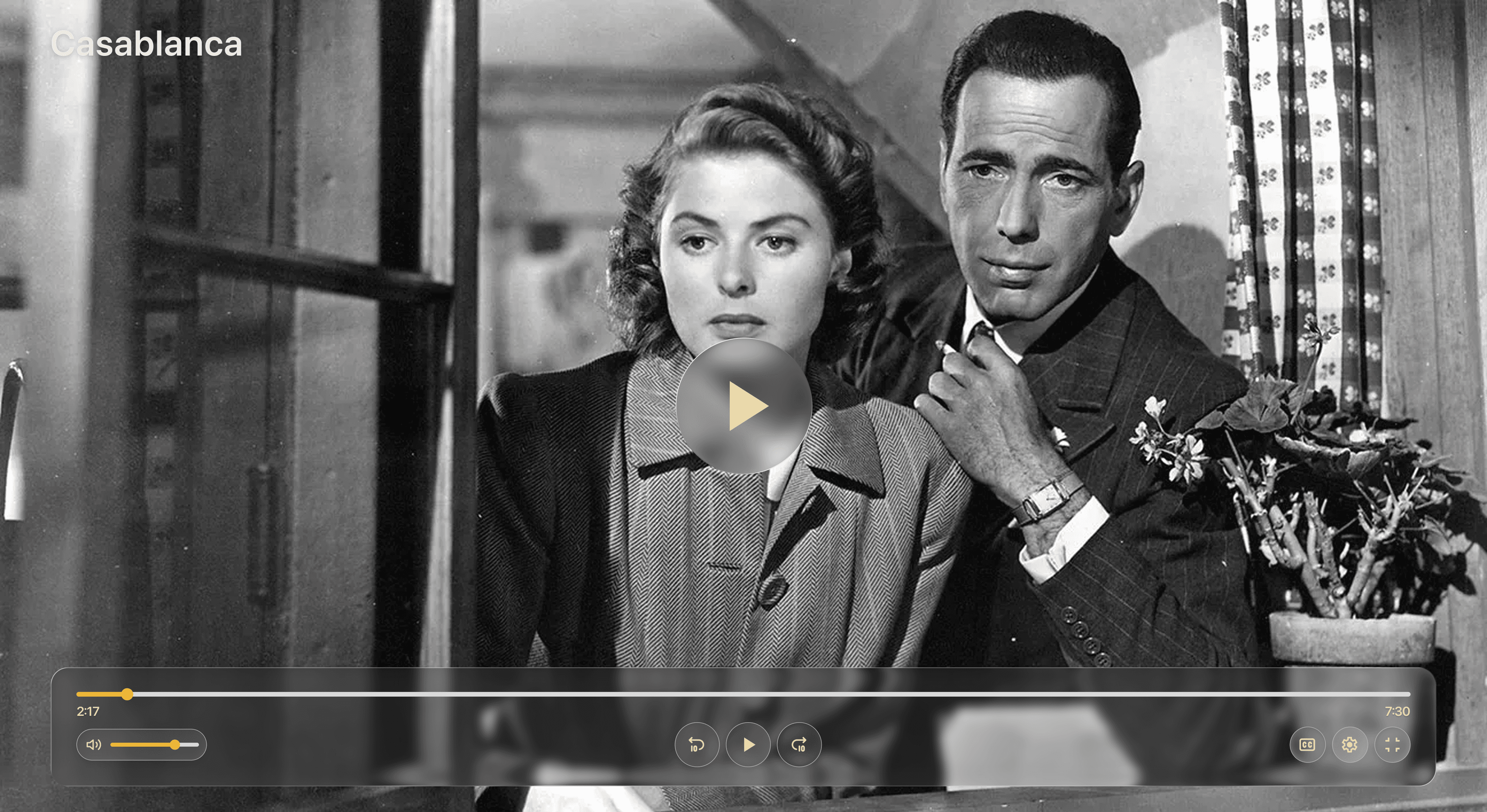
Full Screen Mode
For this I tried Vercel (V0) to prototype my design. You can see the video of the prototype below:
had never designed for a smartwatch screen before, so I saw this as a great opportunity to explore a new form factor. I envisioned a heart centered on the screen with veins radiating behind it, where each heartbeat would pulse, sending blood through the veins, capturing a dynamic living effect
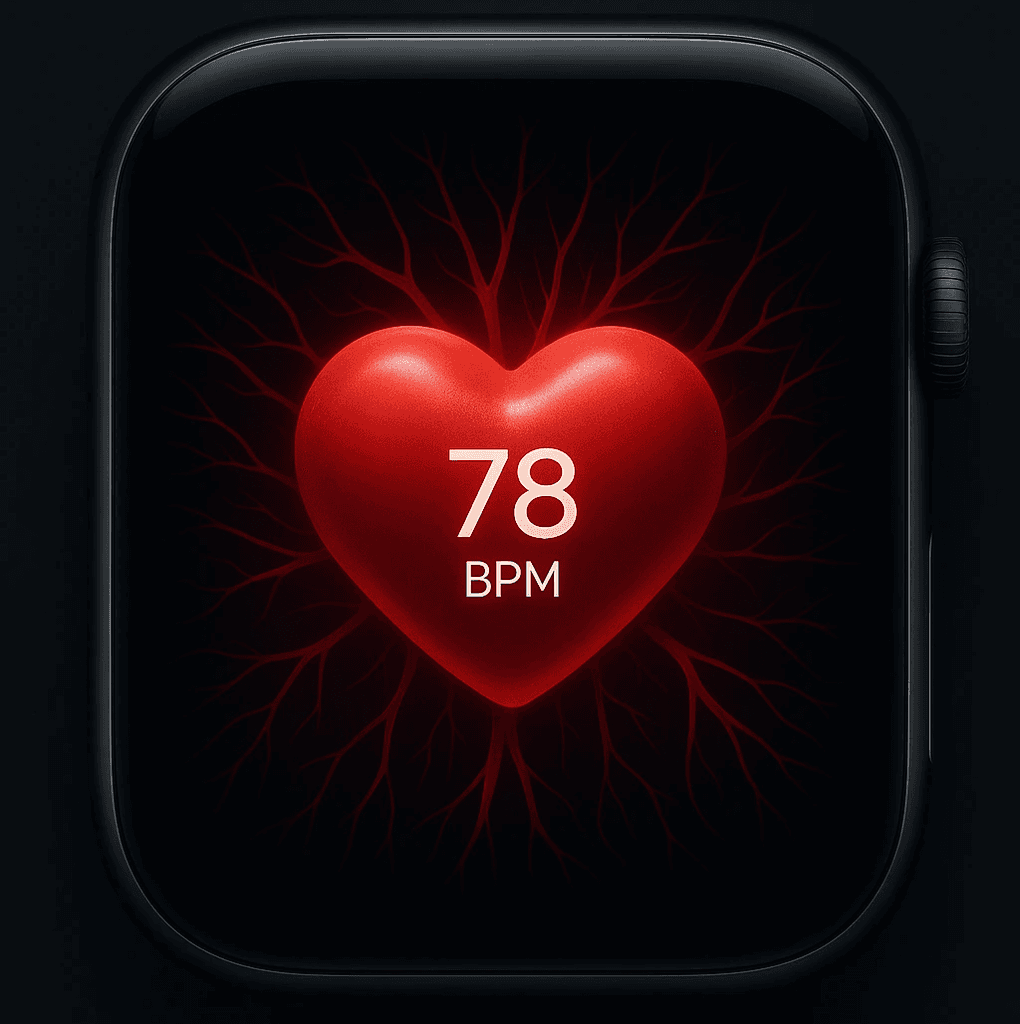
Rapid Prototyping with Figma Make
The idea for this project came to me so vividly that I skipped creating static screens in Figma and jumped straight into prototyping with Figma Make to quickly bring it to life. I wanted to capture the joy of striking through tasks on paper while keeping the interface clean and intuitive.
Aesthetic: Old-fashioned paper style featuring a weekly calendar header at the top, styled with a handwritten font to evoke the feel of jotting notes by hand.
Focus: The satisfying feel of marking tasks complete was central to the prototype.
Prototype Link: Published on the Figma Community
Responsiveness: Primarily designed for mobile, but fully functional and visually consistent on desktop.
For this challenge, I designed a digital boarding pass that captures the tactile feel of a real ticket while providing a modern, functional experience. Additionaly, a dropdown timeline shows the user’s progress through the flight, giving a clear sense of where they are in their journey.
Realistic Look & Feel: Inspired by traditional boarding passes, featuring a clean monospaced font and subtle punched-out circles along the edges.
Design Focus: Balances familiarity with usability, ensuring the boarding pass is both intuitive and visually appealing.
Digital Integration: Includes the option to add the pass to a digital wallet, bridging physical and digital experiences.
Rapid Prototyping with Claude
Check out and interact with the live prototype below:
18:45
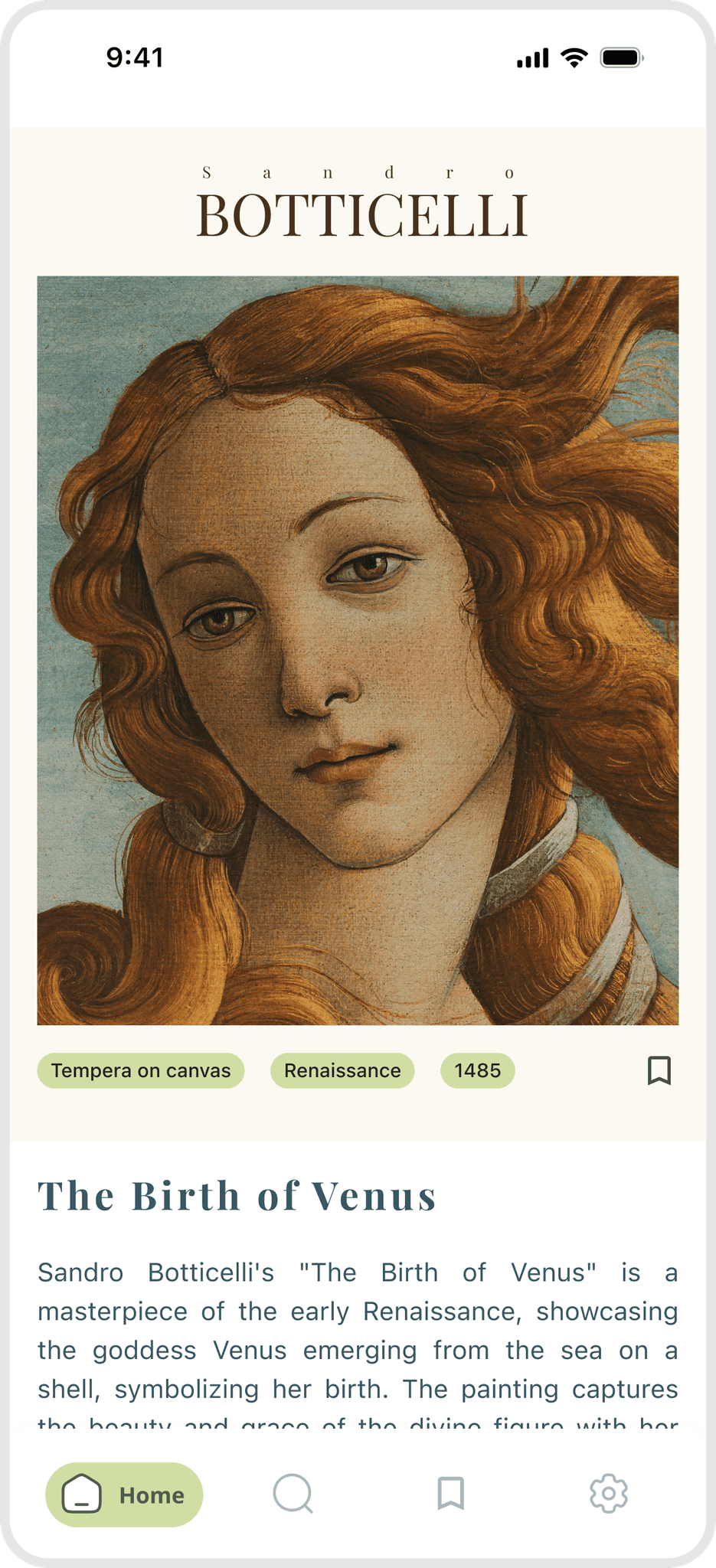
I imagined a mobile app called “Daily Art” that introduces one painting each day, along with its story, artist background, and fun facts.
The sign-up screen was my first opportunity to set the tone, artistic yet minimal, inviting users into a calm, creative space where learning about art feels effortless.
I wanted the sign-up experience to reflect the app’s theme of art appreciation; simple, elegant, and visually balanced.
Used a neutral background to let the artwork preview stand out.
Added a rotating images of paintings as a subtle teaser.
Used a modern serif typeface for headings to evoke museum-like elegance and a clean sans-serif for inputs to maintain usability.
Focused on contrast and spacing to create hierarchy without clutter.
After designing the interface, I brought it to life with Figma Make. The tool allowed me to simulate interactions quickly, such as tab navigation, and transitions without overcomplicating the process.
This helped me think more critically about affordance and motion: how elements invite action and how transitions can make an interface feel intuitive.
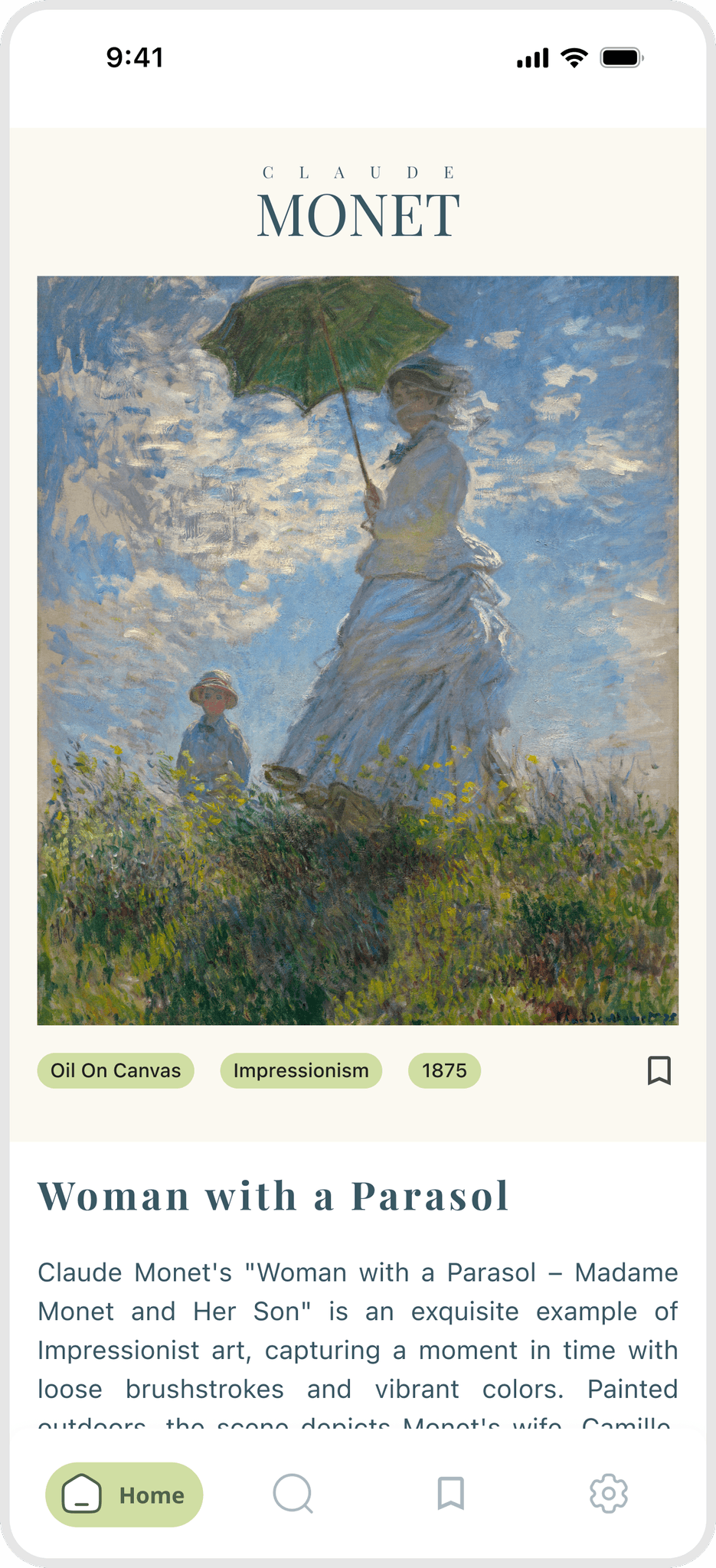
These Daily UI challenges helped me explore new design styles and interactions for different devices, from mobile toggles to smartwatch interfaces. I learned the value of thinking visually before prototyping and how to craft precise prompts while vibe coding to bring my ideas to life quickly.
Above all, I focused on simplicity, emotional engagement, and user delight, ensuring each design feels intuitive, visually compelling, and enjoyable to interact with