curaJOY
AI-Driven Mental Health Platform
curaJOY
AI-Driven Mental Health Platform
Transforming data complexity into clarity in one centralized view
Transforming data complexity into clarity in one centralized view
Transforming data complexity into clarity in one centralized view
Context
Context
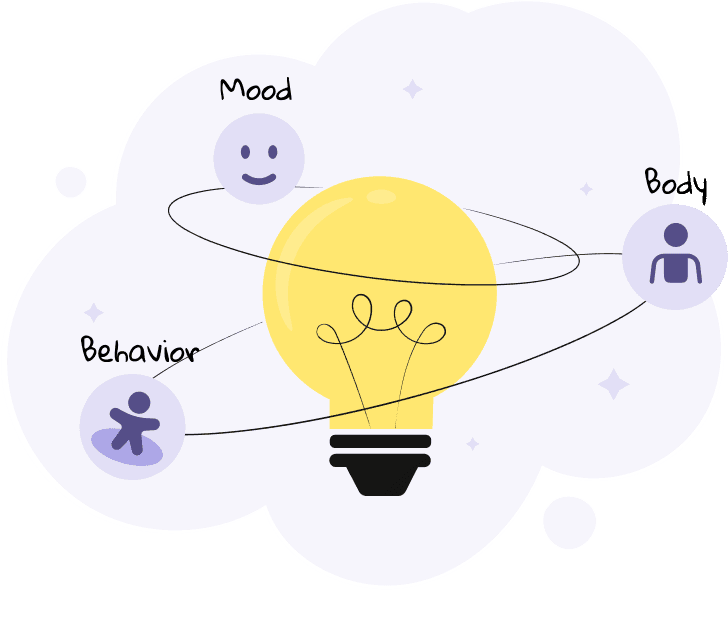
CuraJOY is a nonprofit that uses gamification and AI to make mental health support more accessible. The Insights Page is a new feature that brings together user-submitted data (mood, body, and behavior check-ins) into one centralized view.
CuraJOY is a nonprofit that uses gamification and AI to make mental health support more accessible. The Insights Page is a new feature that brings together user-submitted data (mood, body, and behavior check-ins) into one centralized view.
Problem
Problem
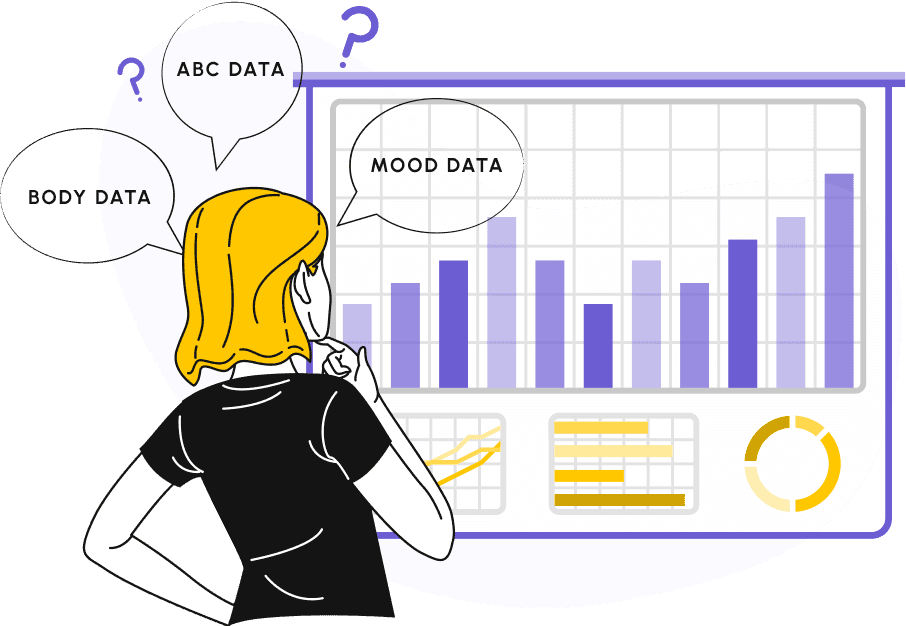
Displaying complex, varied data types in a single view without overwhelming users:
Users were regularly submitting mood, body, and behavior check-ins, but had no way to view their progress, spot patterns, or draw insights.
Each data type was unique:
Mood: Simple 3-point scale (good, okay, bad)
Body: Pain levels across different body parts
Behavior: ABC model (Antecedent, Behavior, Consequence), requiring event sequencing
Displaying complex, varied data types in a single view without overwhelming users:
Users were regularly submitting mood, body, and behavior check-ins, but had no way to view their progress, spot patterns, or draw insights.
Each data type was unique:
Mood: Simple 3-point scale (good, okay, bad)
Body: Pain levels across different body parts
Behavior: ABC model (Antecedent, Behavior, Consequence), requiring event sequencing
Project Overview
Project Overview
Timeline
1 Month
Timeline
1 Month
Timeline
1 Month
Team
3 UX Designers + UX Researcher + Developers
Team
3 UX Designers + UX Researcher + Developers
Team
3 UX Designers + UX Researcher + Developers
Role
Ux Designer
Role
Ux Designer
Role
Ux Designer
Tools
Figma
Tools
Figma
Tools
Figma
Discovery
Keep scrolling to see the design process
Research
Research
The UX researcher conducted semi-structured interviews with 12 participants, 6 agents and 6 users, to understand how each group interprets and uses data.I participated in the sessions as an observer to gain firsthand insight into user behaviors and challenges.
“Can we pinpoint if certain behaviors are linked to specific physical complaints?”
“Can we pinpoint if certain behaviors are linked to specific physical complaints?”
Agent A
Agent A
“I want to know if there’s a pattern in my child’s mood over time.”
“I want to know if there’s a pattern in my child’s mood over time.”
User A
User A
Research Finding
Research Finding
After synthesizing the research data, our team identified a key insight: both users and agents wanted the ability to connect different data types in order to uncover relationships, patterns, and emerging trends more easily.

Competitive Audit
Competitive Audit
By analyzing several competitors, including 5 Minute Journal, Daylio, Daily Bean, and others, we identified key patterns that shaped our approach to presenting data.
By analyzing several competitors, including 5 Minute Journal, Daylio, Daily Bean, and others, we identified key patterns that shaped our approach to presenting data.
Mood was typically tracked using graphs or calendars.
Mood was typically tracked using graphs or calendars.
Body-related data often used heat maps.
Body-related data often used heat maps.
Common visualization patterns included clear hierarchy, consistent styles, and interactive elements like tooltips and filters.
Common visualization patterns included clear hierarchy, consistent styles, and interactive elements like tooltips and filters.
Constraint
Constraint
1- Since each type of data had its own unique classification, displaying them together in a single view was challenging.
2-curaJOY’s LLM could not generate insights or correlations across the three datasets. Because the system couldn’t automatically identify relationships, it was our responsibility to design visualizations that made patterns easy for users to spot on their own.
3- After consulting with the engineering team, we realized we were restricted to using only PrimeReact charts.
1- Since each type of data had its own unique classification, displaying them together in a single view was challenging.
2-curaJOY’s LLM could not generate insights or correlations across the three datasets. Because the system couldn’t automatically identify relationships, it was our responsibility to design visualizations that made patterns easy for users to spot on their own.
3- After consulting with the engineering team, we realized we were restricted to using only PrimeReact charts.

PrimeReact charts
Ideation
Keep scrolling to see the design process
Low-Fidelity Exploration
Low-Fidelity Exploration
We explored many iterations to find the best way to visualize the data, applying data visualization best practices to balance clarity, emotional resonance, and usability. Designing mobile-first, our Figma work-board became a living archive of what we tested, refined, and learned.
We explored many iterations to find the best way to visualize the data, applying data visualization best practices to balance clarity, emotional resonance, and usability. Designing mobile-first, our Figma work-board became a living archive of what we tested, refined, and learned.
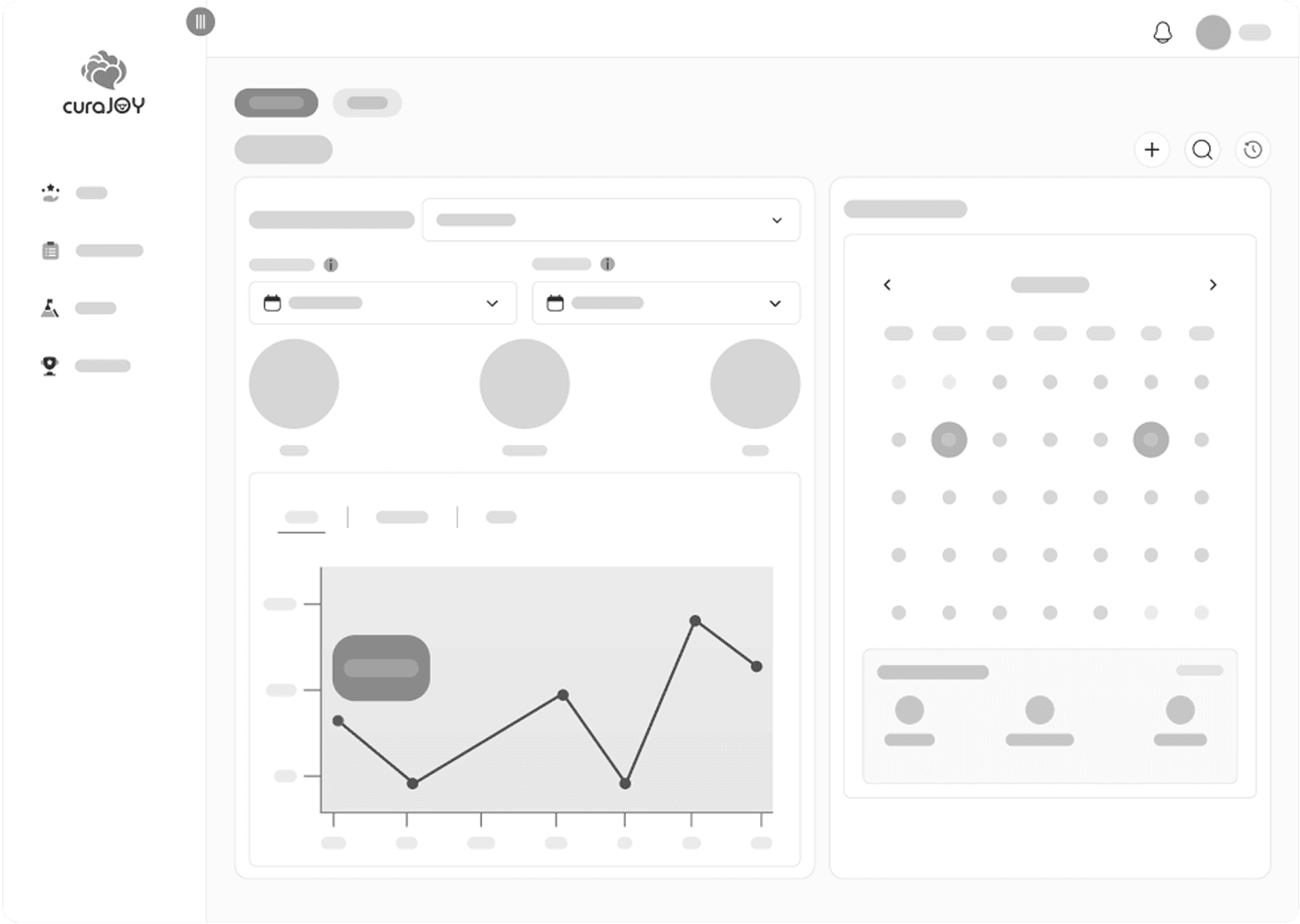
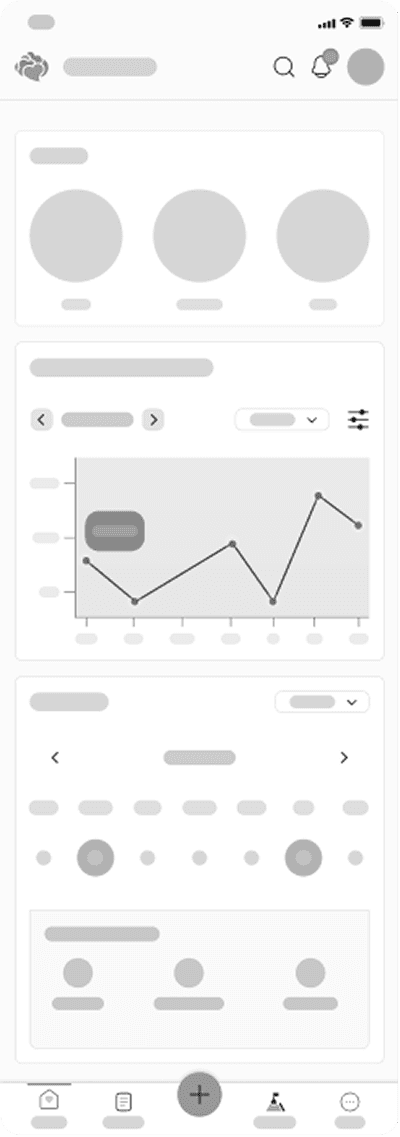
Early low-fidelity design (calendar for mood data visualization changed to bubble charts in future iterations)
Early low-fidelity design (calendar for mood data visualization changed to bubble charts in future iterations)
Data Visualization | How to Show Mood, Body, and Behavior Data?
Data Visualization | How to Show Mood, Body, and Behavior Data?
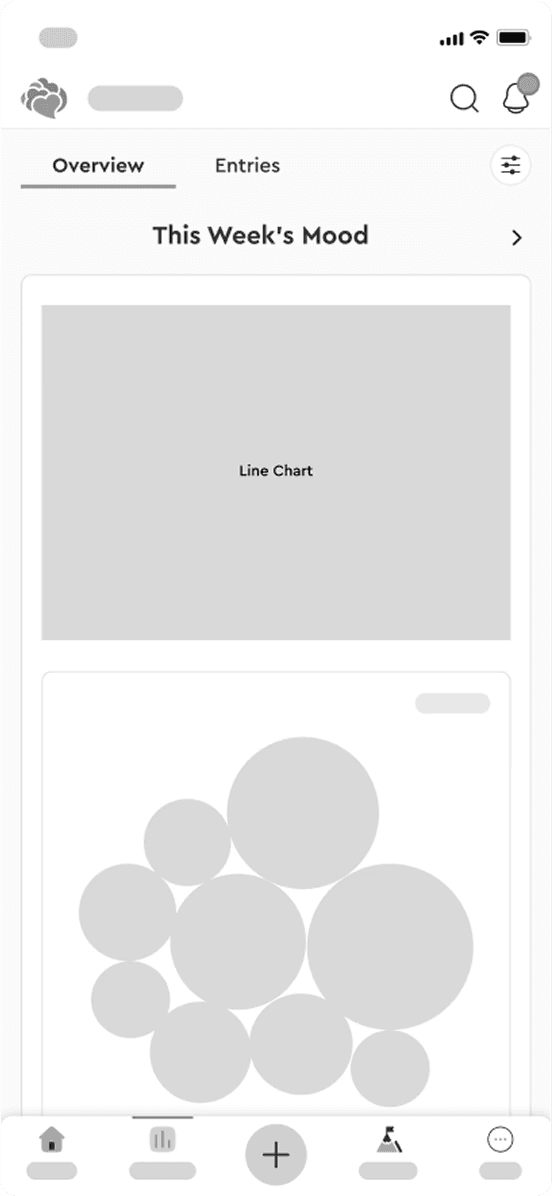
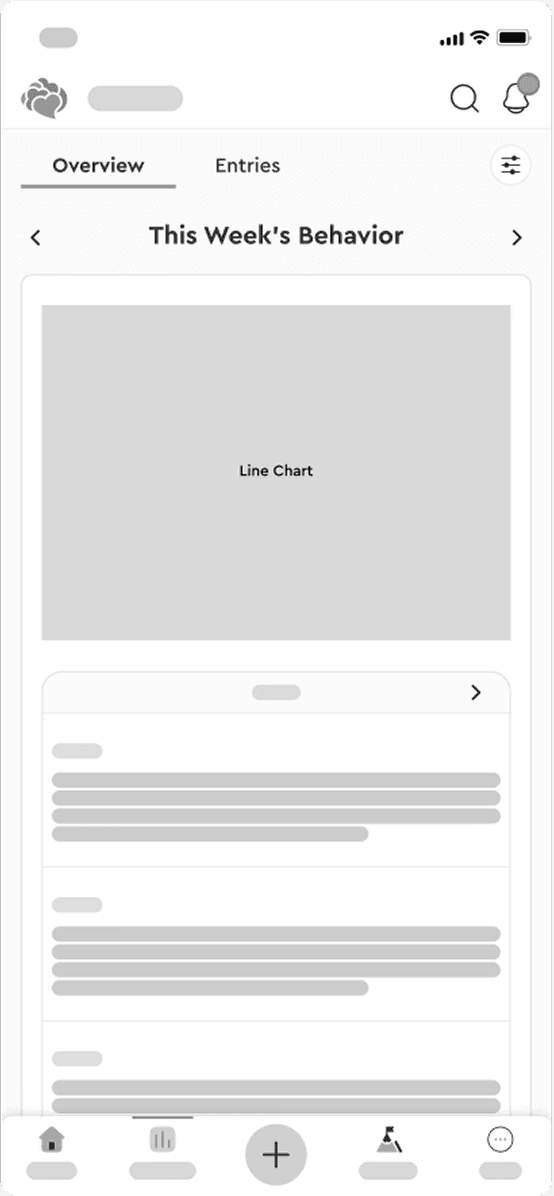
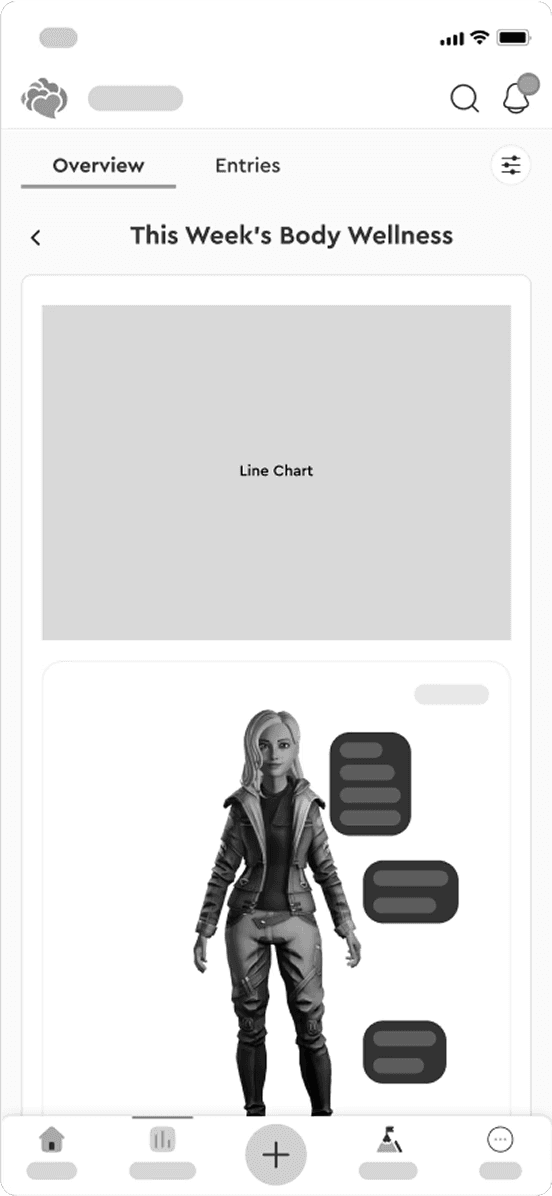
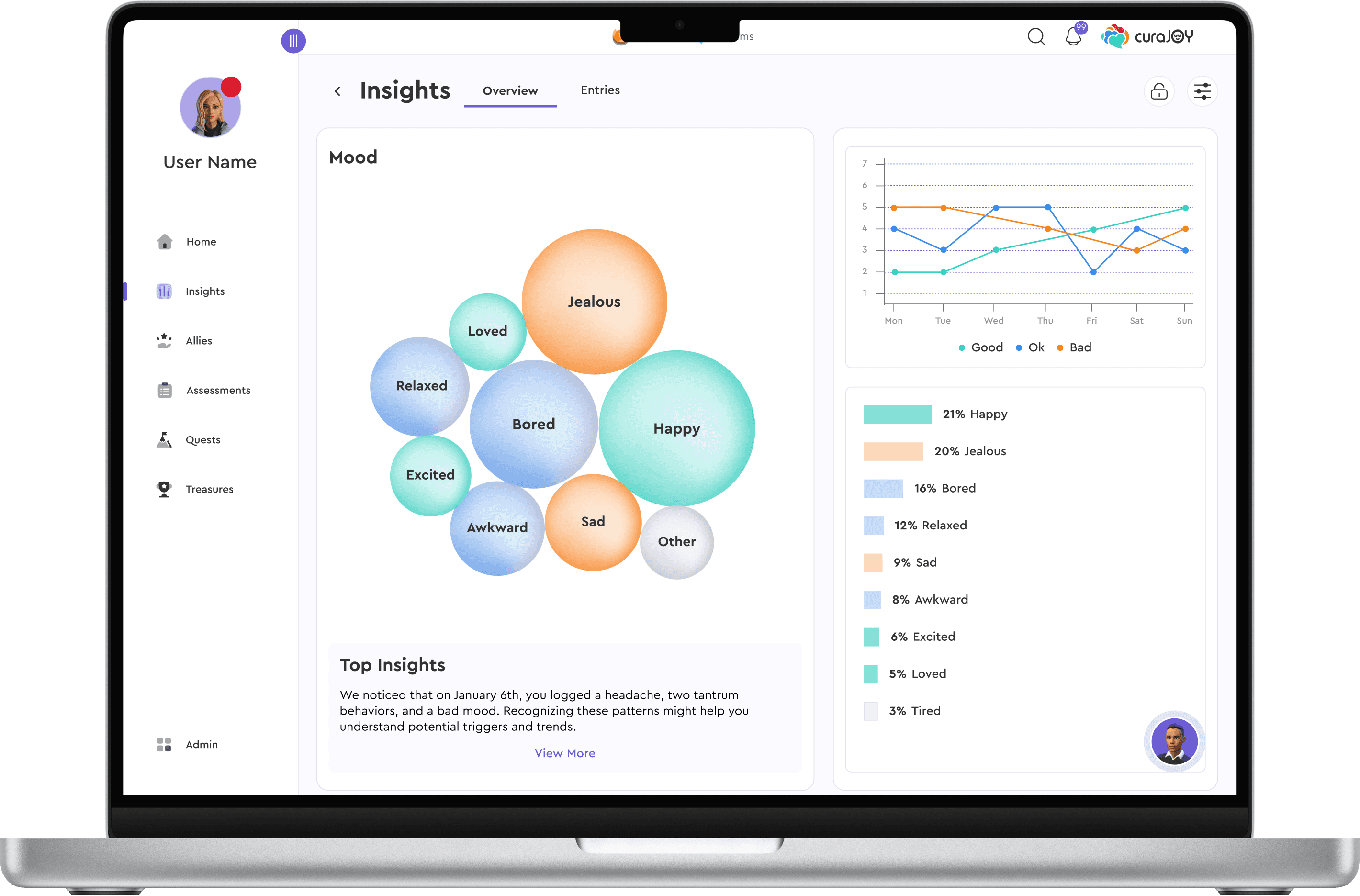
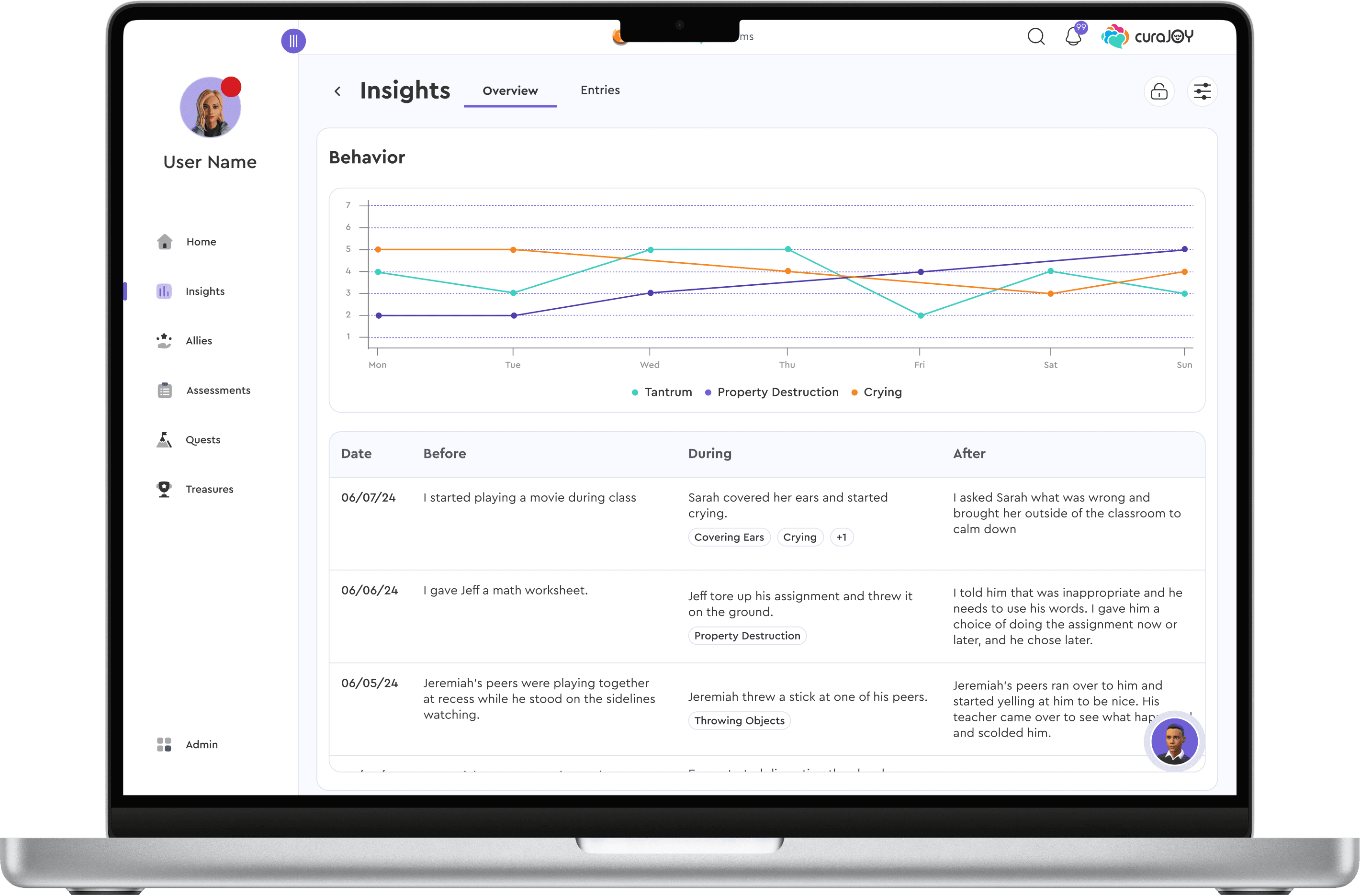
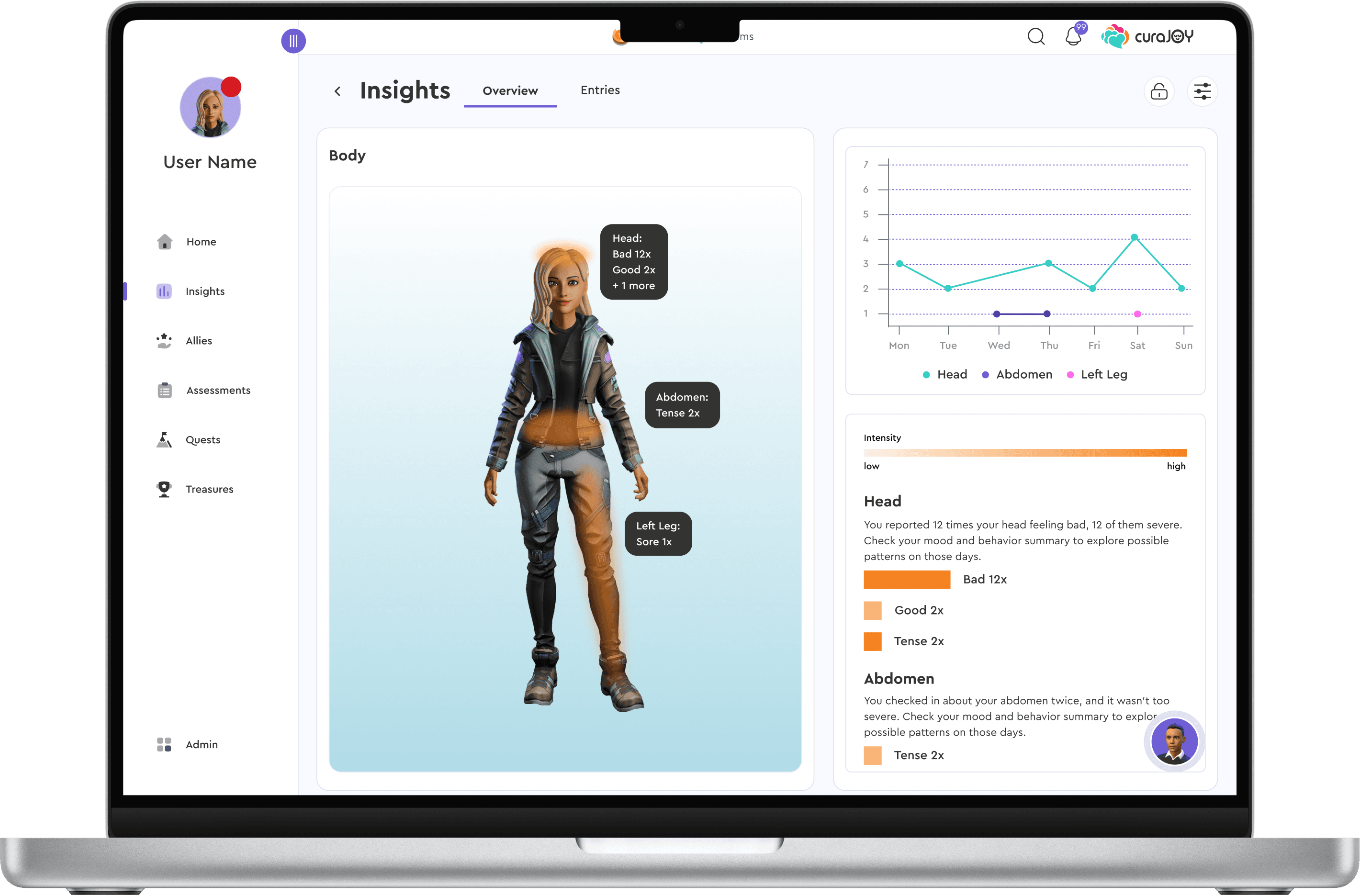
Across all data types, frequency was the key pattern (e.g., how often users reported bad moods, headaches, or tantrums).
Each group had a dedicated line chart to show trends, plus a tailored view:
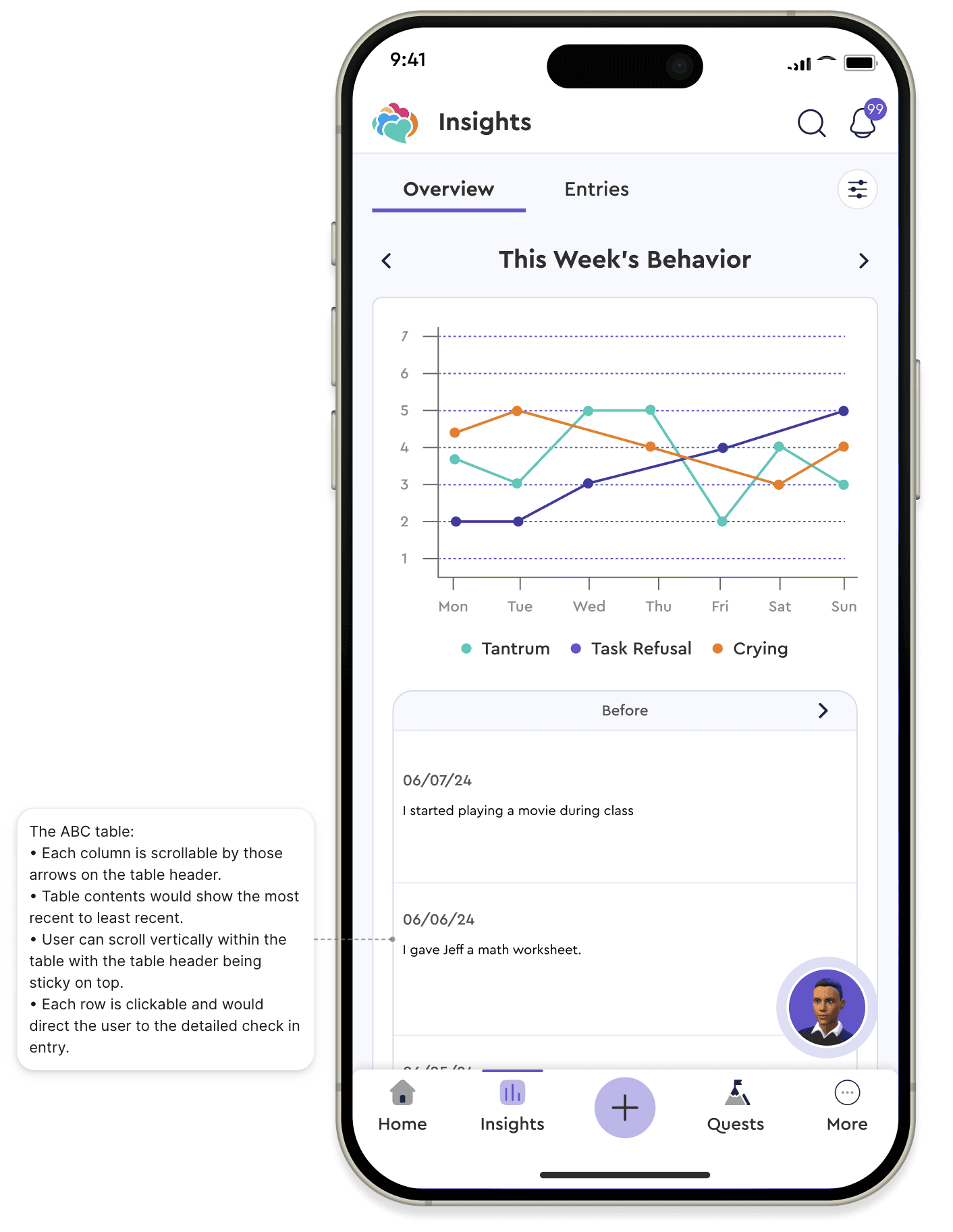
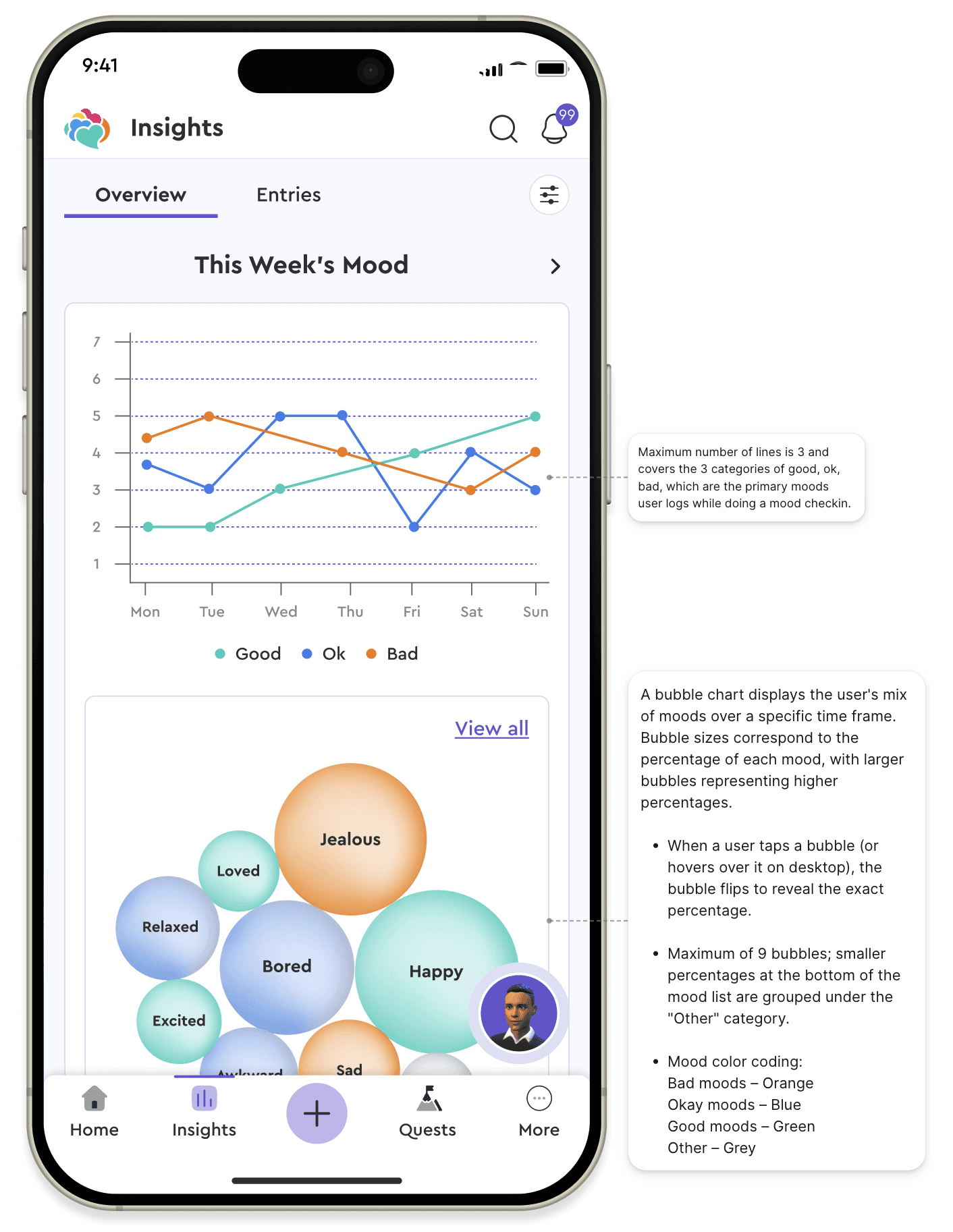
bubble charts for mood, heat maps for body, and an ABC table for behavior.
Across all data types, frequency was the key pattern (e.g., how often users reported bad moods, headaches, or tantrums).
Each group had a dedicated line chart to show trends, plus a tailored view:
bubble charts for mood, heat maps for body, and an ABC table for behavior.
Design & Prototype
Keep scrolling to see the design process
High-Fidelity Design
High-Fidelity Design
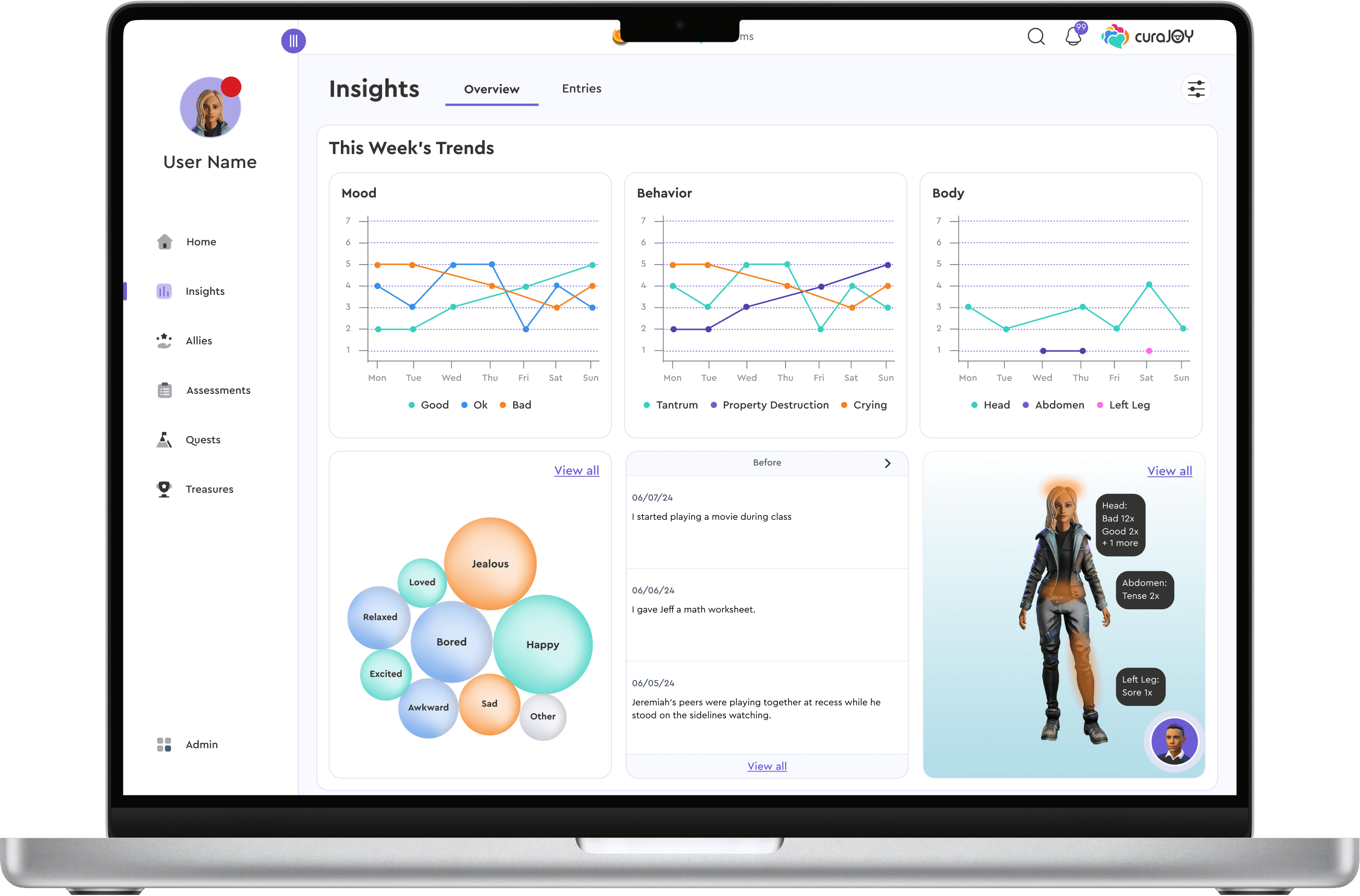
After multiple design iterations and critique sessions, we transferred the wireframes into high-fidelity designs using the design system components.
After multiple design iterations and critique sessions, we transferred the wireframes into high-fidelity designs using the design system components.
Filter Feature
Filter Feature
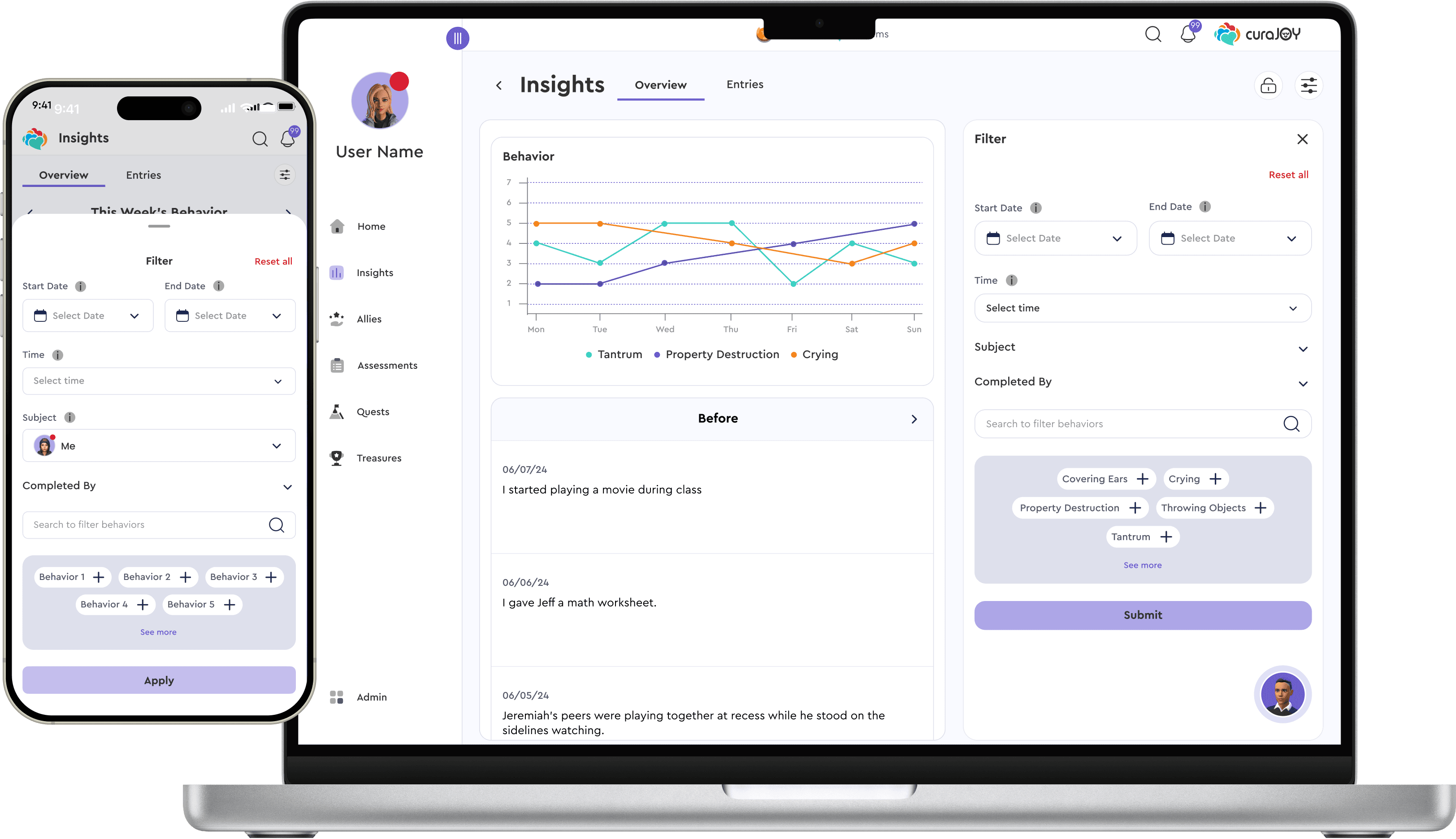
To give users more control, we added filters for time range, mood, pain level, and behavior type, offering personalization and flexibility without overwhelming the core experience.
To give users more control, we added filters for time range, mood, pain level, and behavior type, offering personalization and flexibility without overwhelming the core experience.
ABC Data Table
ABC Data Table
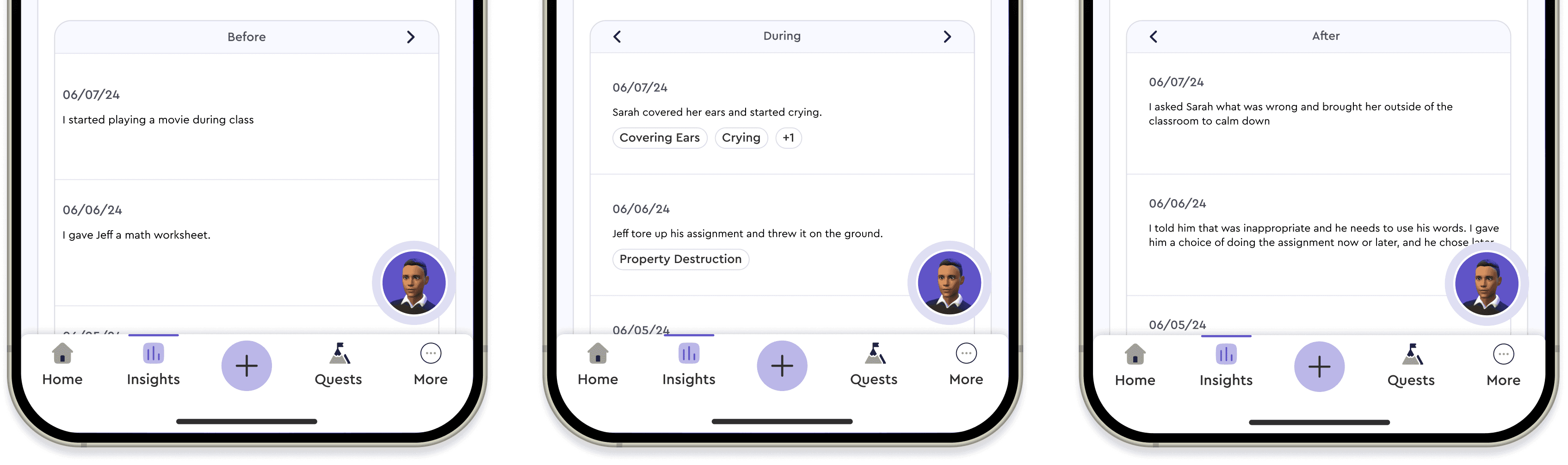
Mobile space constraints made it hard to show all ABC behavior columns (Before, During, After) in one table. We solved this by displaying each column in its own view, with chevrons to navigate between them.
Mobile space constraints made it hard to show all ABC behavior columns (Before, During, After) in one table. We solved this by displaying each column in its own view, with chevrons to navigate between them.
Prototype & Final Hand-Off
Prototype & Final Hand-Off
We transformed the final design into an interactive prototype that brought the user journey to life. I transitioned off the project at this stage, before usability testing began. Therefore, I carefully annotated the designs in Figma to ensure clarity for future designers and developers.
We transformed the final design into an interactive prototype that brought the user journey to life. I transitioned off the project at this stage, before usability testing began. Therefore, I carefully annotated the designs in Figma to ensure clarity for future designers and developers.
Reflection & Takeaways
Reflection & Takeaways
Designing the Insights Page taught me the importance of structuring complex information in ways that remain clear and approachable. Although I transitioned off before usability testing, I learned how to anticipate potential challenges early and how to document design decisions clearly, skills that ensure continuity even after handoff.
Thank You for Reading My Case Study!
Thank You for Reading My Case Study!
Want to work with me? Feel free to contact me!
Email: faranak.vn@gmail.com
LinkedIn: https://www.linkedin.com/in/faranak-vn/
* All illustrations were sourced from Storyset.com and were modified by me
Want to work with me? Feel free to contact me!
Email: faranak.vn@gmail.com
LinkedIn: https://www.linkedin.com/in/faranak-vn/
* All illustrations were sourced from Storyset.com and were modified by me