curaJOY
AI-Driven Mental Health Platform
curaJOY
AI-Driven Mental Health Platform
From Chaos to Clarity: Revamping curaJOY’s Design System
From Chaos to Clarity: Revamping curaJOY’s Design System
Context
Context
CuraJOY is a nonprofit that uses gamification and AI to make mental health support more accessible. When I joined the team, I noticed an issue that was quietly hurting our product consistency: our design system had become messy and disorganized. Components were scattered, icons appeared in multiple colors, and there were endless button variants with no clear usage guidelines. Designers were relying on their personal taste to use components, which led to an inconsistent product experience.
CuraJOY is a nonprofit that uses gamification and AI to make mental health support more accessible. When I joined the team, I noticed an issue that was quietly hurting our product consistency: our design system had become messy and disorganized. Components were scattered, icons appeared in multiple colors, and there were endless button variants with no clear usage guidelines. Designers were relying on their personal taste to use components, which led to an inconsistent product experience.
Problem
Problem
The problem wasn’t just visual inconsistency; it affected collaboration and decision-making. Without a clear design system, new features took longer to design, reviews became subjective, and the product lost its unified identity.
I had always been curious about our design system, though it felt intimidating at first because of its complexity. But I saw an opportunity to bring order and clarity. So, I volunteered to take charge and revamp it.
The problem wasn’t just visual inconsistency; it affected collaboration and decision-making. Without a clear design system, new features took longer to design, reviews became subjective, and the product lost its unified identity.
I had always been curious about our design system, though it felt intimidating at first because of its complexity. But I saw an opportunity to bring order and clarity. So, I volunteered to take charge and revamp it.
Project Overview
Project Overview
Timeline
Timeline
Throughout 2024 & 2025 (Continuous refinement during product development)
Throughout 2024 & 2025
Throughout 2024 & 2025
(Continuous refinement during product development)
Team
2 UX Designers + Stakeholder
Team
2 UX Designers + Stakeholder
Team
2 UX Designers + Stakeholder
Role
Ux Designer
Role
Ux Designer
Role
Ux Designer
Tools
Figma
Tools
Figma
Tools
Figma
Discovery
Discovery
Research
Research
My first step was to understand the root of the problem rather than jumping straight into cleanup.
Stakeholder interviews: I had discussions with our founder to understand how the system was originally set up and how it evolved.
Designer feedback: I relied on teammates' feedback on how they decided which component to use and what guided their design decisions.
I also met up with outside designers, who were design system experts, through the ADPList website to seek their advice.
Benchmark research: I studied successful design systems like Material Design, Shopify Polaris, and IBM’s Carbon, focusing not only on their structure but also on how they establish clear decision-making frameworks.
Design
Design
Icons
Icons
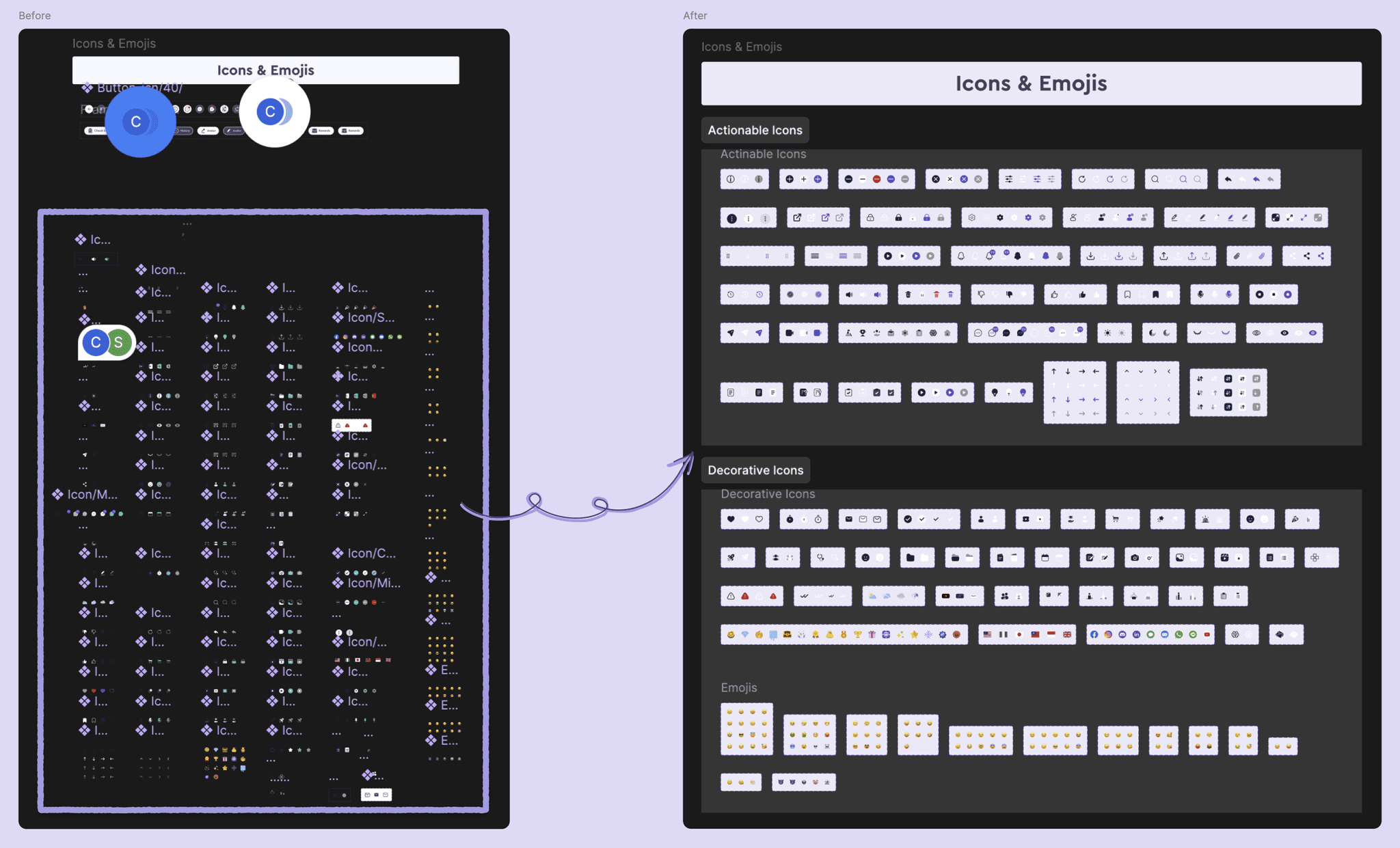
The icon library was one of the first areas I tackled. Icons existed in multiple colors, inconsistent stroke widths, and with no clear categorization; some were duplicated or slightly different versions of the same concept.
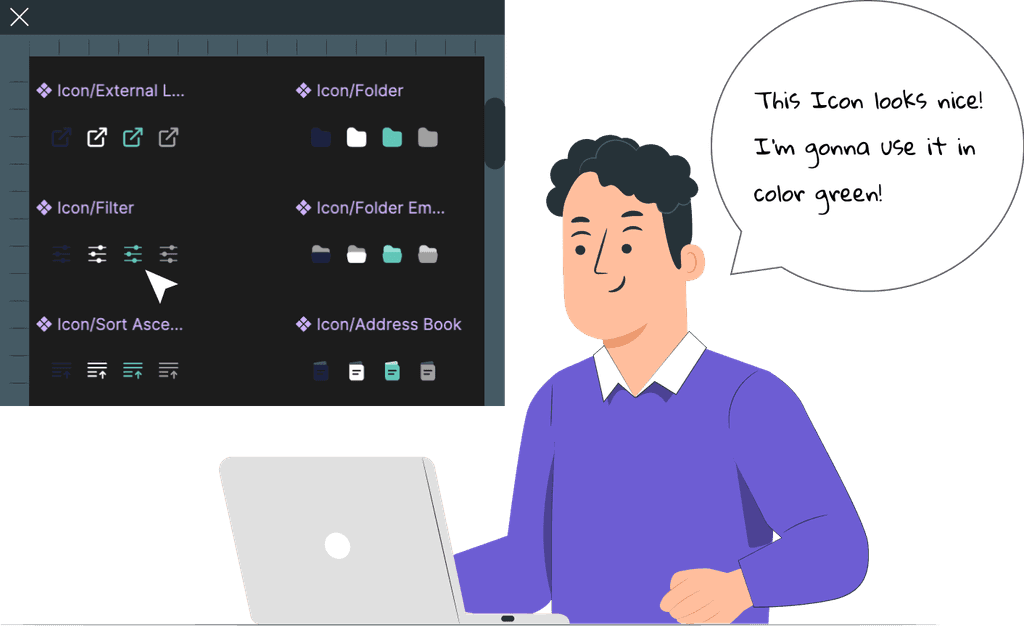
During my audit across Figma files, I noticed many icons still used green, curaJOY’s former primary color before their rebrand to purple. This inconsistency not only clashed with the updated brand identity but also signaled how outdated and fragmented the system had become.
The icon library was one of the first areas I tackled. Icons existed in multiple colors, inconsistent stroke widths, and with no clear categorization; some were duplicated or slightly different versions of the same concept.
During my audit across Figma files, I noticed many icons still used green, curaJOY’s former primary color before their rebrand to purple. This inconsistency not only clashed with the updated brand identity but also signaled how outdated and fragmented the system had become.
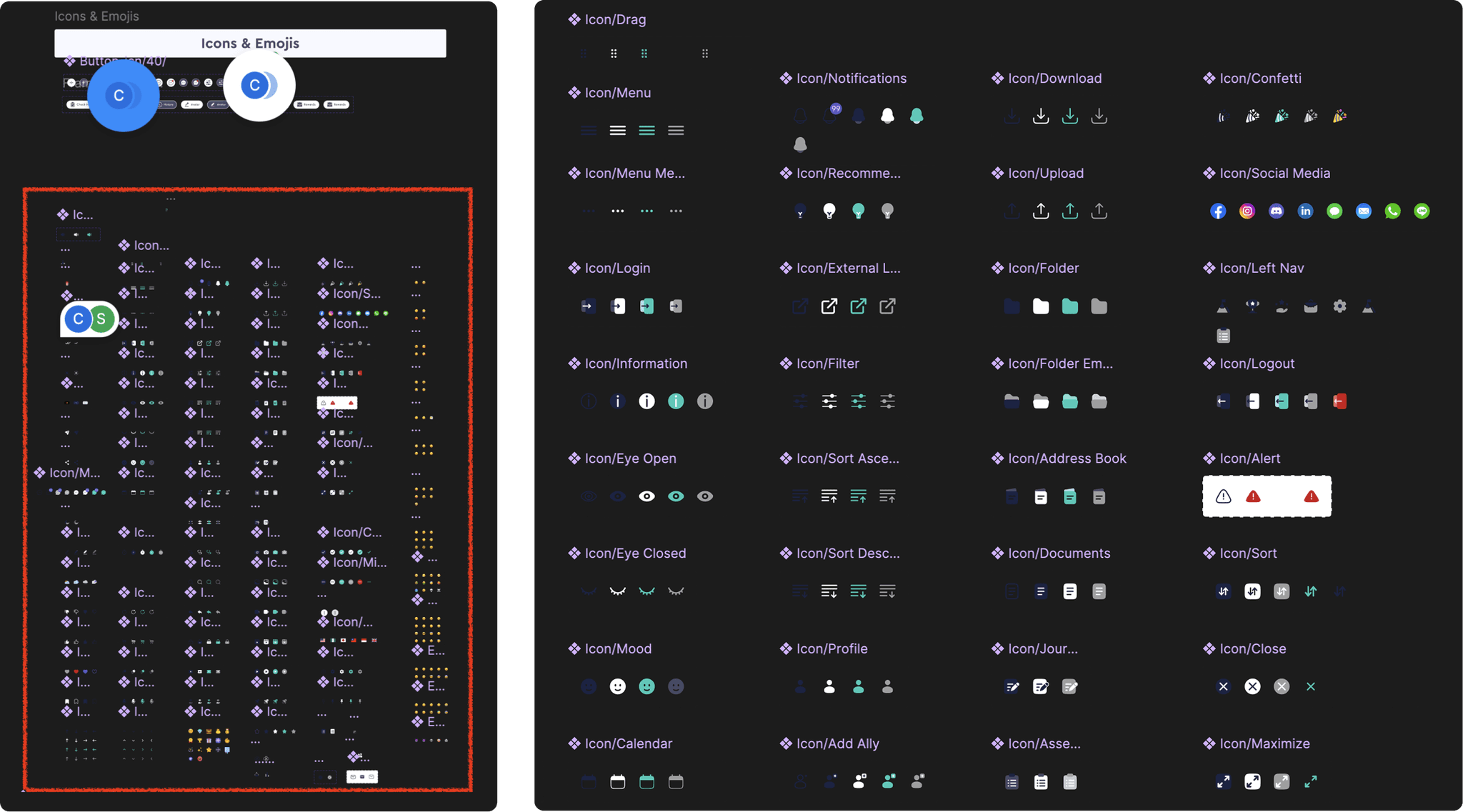
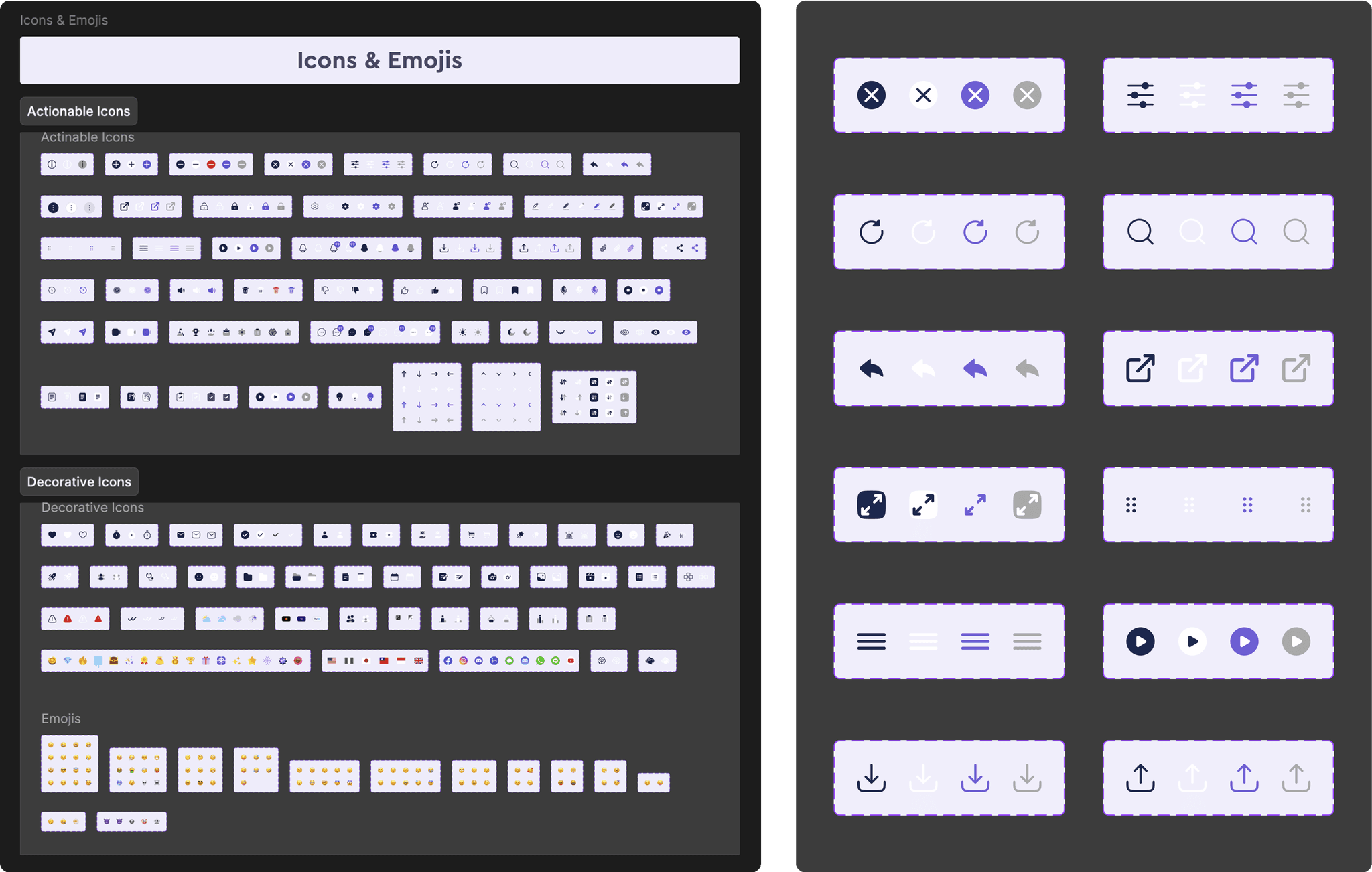
I began by identifying redundancies and grouping them in two categories of actinable icons and decorative icons. Then I standardized their color to the new purple brand color, applied a consistent grid system and stroke weight, and removed outdated variations.
The result was an organized, cohesive icon library that reflected curaJOY’s refreshed visual identity and gave designers a reliable, easy-to-browse set of assets they could trust.
I began by identifying redundancies and grouping them in two categories of actinable icons and decorative icons. Then I standardized their color to the new purple brand color, applied a consistent grid system and stroke weight, and removed outdated variations.
The result was an organized, cohesive icon library that reflected curaJOY’s refreshed visual identity and gave designers a reliable, easy-to-browse set of assets they could trust.
Chips
Chips
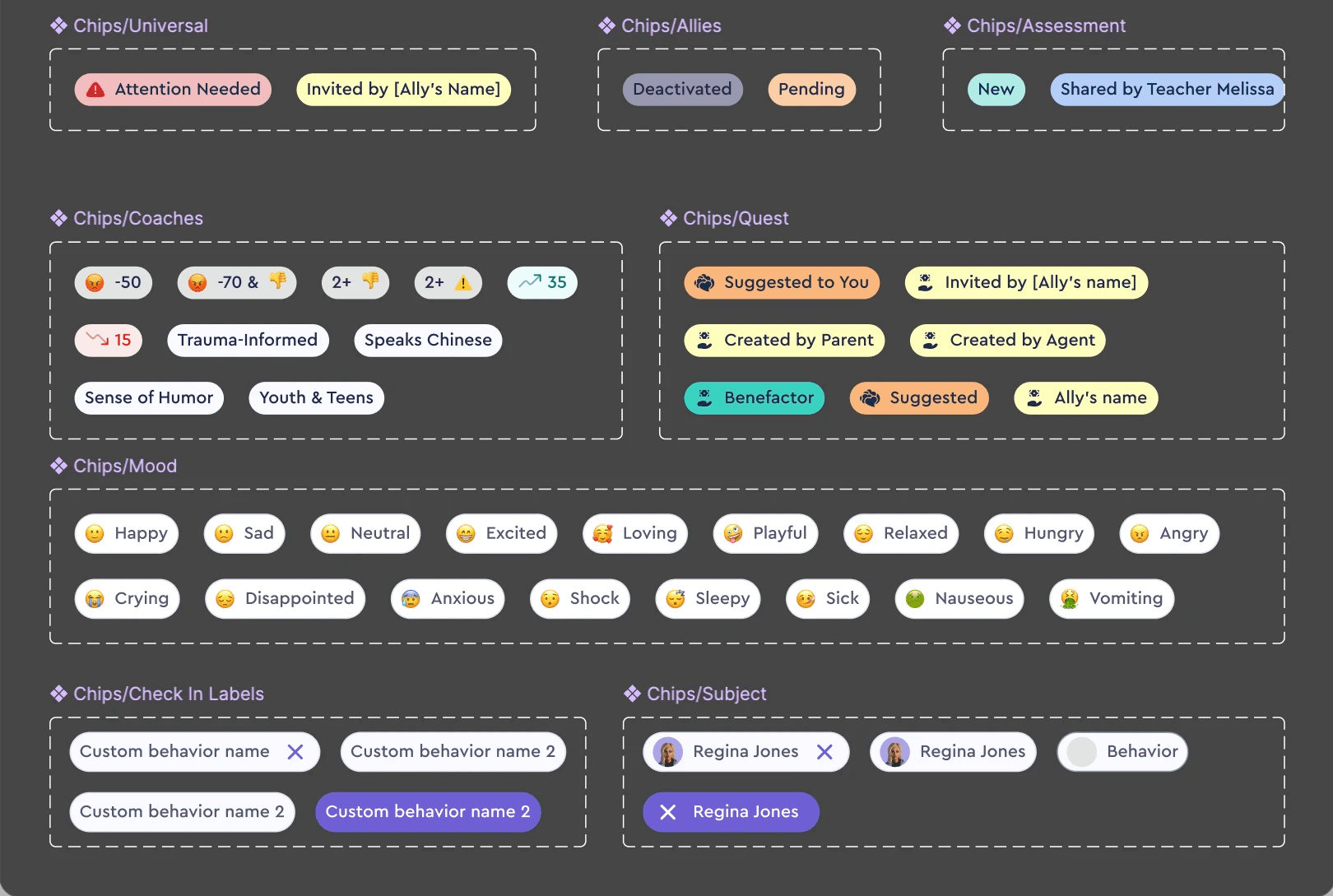
Next, I turned to chips, which appeared in various shapes and sizes across different product screens. Some had uneven padding, while others used inconsistent corner radius or text styles.
I standardized their dimensions and spacing, creating a unified set with consistent text styles and visual rhythm. This change strengthened the sense of cohesion across the interface.
Next, I turned to chips, which appeared in various shapes and sizes across different product screens. Some had uneven padding, while others used inconsistent corner radius or text styles.
I standardized their dimensions and spacing, creating a unified set with consistent text styles and visual rhythm. This change strengthened the sense of cohesion across the interface.
UI Cards
UI Cards
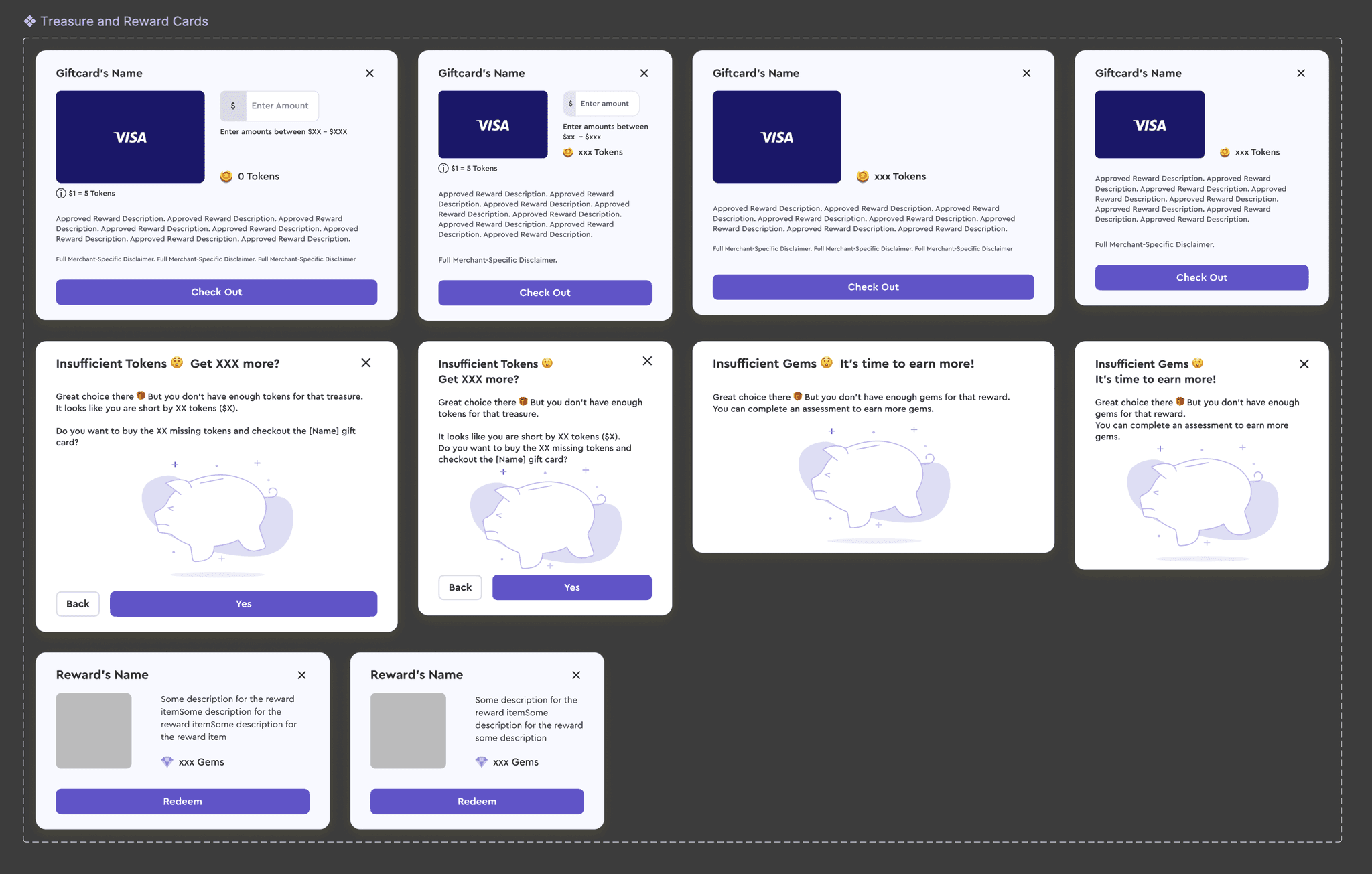
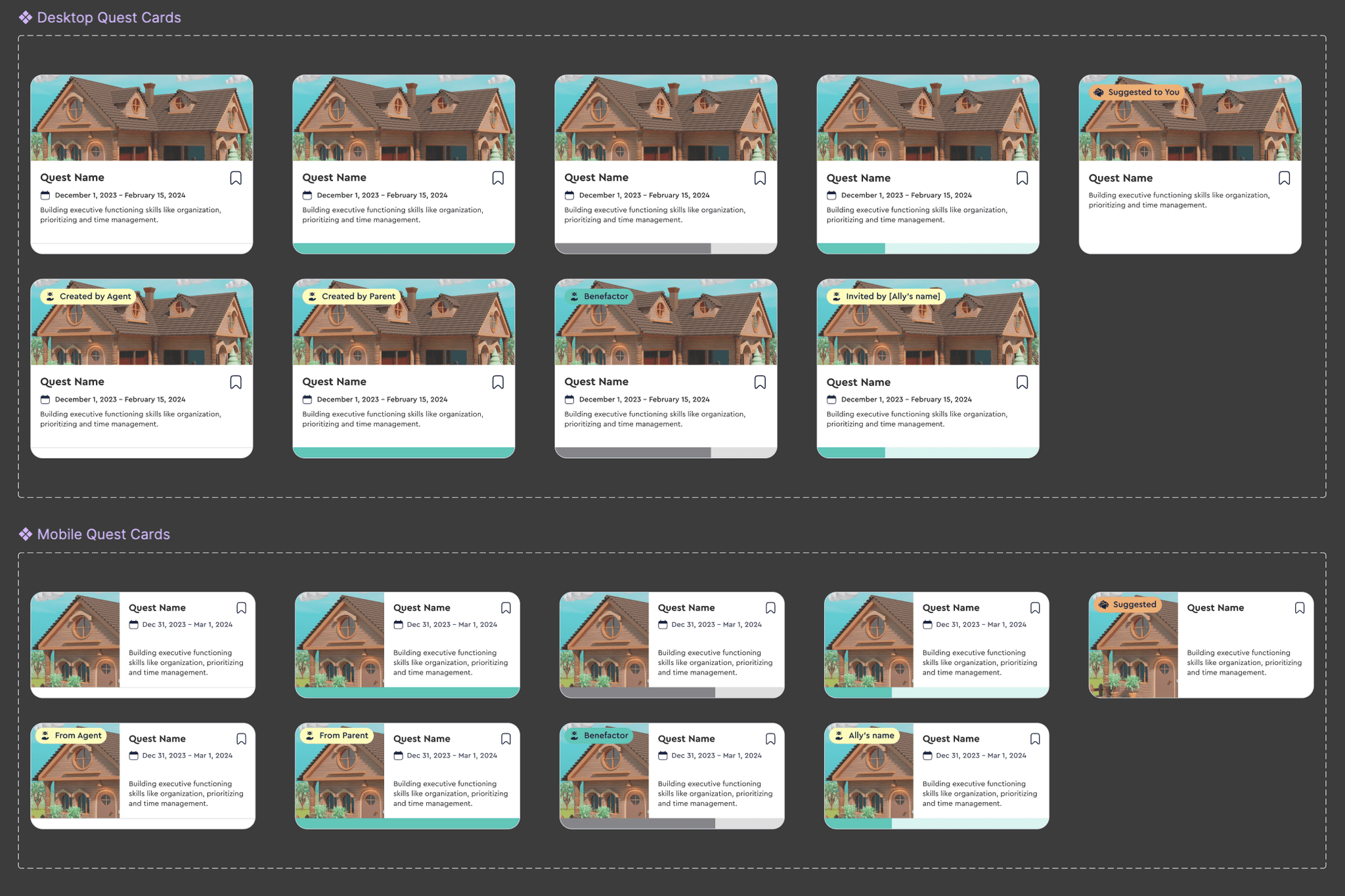
When I reviewed the UI cards, I realized many components were designed only for desktop views, leaving mobile layouts incomplete or improvised. Some mobile screens reused desktop-sized cards that didn’t scale well, causing layout and readability issues.
To fix this, I the desktop card and designed dedicated mobile counterparts that maintained hierarchy and usability within smaller viewports.
When I reviewed the UI cards, I realized many components were designed only for desktop views, leaving mobile layouts incomplete or improvised. Some mobile screens reused desktop-sized cards that didn’t scale well, causing layout and readability issues.
To fix this, I the desktop card and designed dedicated mobile counterparts that maintained hierarchy and usability within smaller viewports.
Feedback & Iterations
Feedback & Iterations
After revamping icons, chips, and UI cards, I shared the updated design system with the team through informal design reviews and one-on-one conversations. While designers appreciated the cleaner, more consistent components, some mentioned that it was still unclear when and how to use certain elements in real product screens. This feedback highlighted that visual consistency alone wasn’t enough, designers needed contextual guidance to make confident choices.
After revamping icons, chips, and UI cards, I shared the updated design system with the team through informal design reviews and one-on-one conversations. While designers appreciated the cleaner, more consistent components, some mentioned that it was still unclear when and how to use certain elements in real product screens. This feedback highlighted that visual consistency alone wasn’t enough, designers needed contextual guidance to make confident choices.
Iteration: Adding Usage Guidelines
Iteration: Adding Usage Guidelines
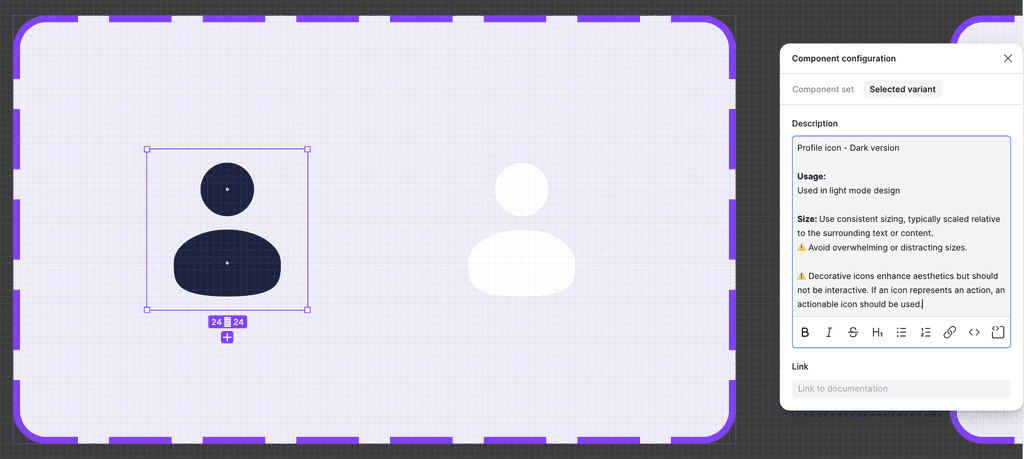
In response, I added usage guidelines directly within Figma using the Component Configuration feature. Each component now included:
When to use it: Examples of real-world scenarios
How to use it: Specifications for size, spacing, color, and interactions
Do’s and Don’ts: Clarifying common misuses
By leveraging Figma’s interactive features, designers could access contextual guidance directly within the component, making the system a decision-making tool rather than just a static library.
In response, I added usage guidelines directly within Figma using the Component Configuration feature. Each component now included:
When to use it: Examples of real-world scenarios
How to use it: Specifications for size, spacing, color, and interactions
Do’s and Don’ts: Clarifying common misuses
By leveraging Figma’s interactive features, designers could access contextual guidance directly within the component, making the system a decision-making tool rather than just a static library.
Result & Impact
Result & Impact
The updated system quickly demonstrated measurable impact:
The product’s visual identity became cohesive across screens and devices.
Designers reported feeling more confident and empowered, with fewer questions about which components to use.
Handoff and review sessions became smoother, as fewer inconsistencies appeared in design files.
The updated system quickly demonstrated measurable impact:
The product’s visual identity became cohesive across screens and devices.
Designers reported feeling more confident and empowered, with fewer questions about which components to use.
Handoff and review sessions became smoother, as fewer inconsistencies appeared in design files.
Reflection & Takeaways
Reflection & Takeaways
This project showed me that curiosity and persistence can turn a messy, intimidating challenge into a clear opportunity for growth. By collaborating with the team and iterating thoughtfully, I was able to transform the design system into a cohesive, usable tool.
I also learned that a design system is never truly finished; it evolves alongside the product, adapting to new features and user needs.
This experience sparked a passion for design systems, leading me to enroll in a Design Systems Bootcamp to further explore how structured systems shape better products and stronger design teams.
Thank You for Reading My Case Study!
Thank You for Reading My Case Study!
Want to work with me? Feel free to contact me!
Email: faranak.vn@gmail.com
LinkedIn: https://www.linkedin.com/in/faranak-vn/
* All illustrations were sourced from Storyset.com and were modified by me
Want to work with me? Feel free to contact me!
Email: faranak.vn@gmail.com
LinkedIn: https://www.linkedin.com/in/faranak-vn/
* All illustrations were sourced from Storyset.com and were modified by me